Tableify Online Ordering: no commission
Pickup and delivery orders on your own website, cooked in your kitchen and paid to your own account. Follow one order from the cart to the refund.
A 10 percent cut of $8,000 a month in online orders comes to $9,600 a year.
Sample math: what a percentage taken from every order adds up to over twelve months, at four monthly order totals.
See the numbers
| Online orders each month | A 10 percent cut, over a year |
|---|---|
| $2,000 | $2,400 |
| $4,000 | $4,800 |
| $8,000 | $9,600 |
| $16,000 | $19,200 |
A cut of every order, before it leaves the kitchen.
When your pickup orders run through someone else's app, a percentage leaves with every bag, and so does the guest.
A cut of every ticket
A percentage comes off the top of each order, on food you bought, cooked and packed yourself.
The guest becomes theirs
The app keeps the name and the order history, then shows that guest other restaurants the next time they open it.
A second menu to keep
Prices in the app drift from your real menu, and a dish you ran out of keeps selling until someone notices.
Hungry guests ask an assistant first.
It points to places with a menu it can read and a way to order. An order page on your own site gives it your dishes and your prices to quote; the guide to AI answers covers the rest.
- 1.The noodle shop on Fourth StreetOrder ahead online, ready in about 20 minutes.
- 2.The taqueria by the parkPickup window at the side door.
- 3.The pizza place on Main StreetDelivers until 10pm.
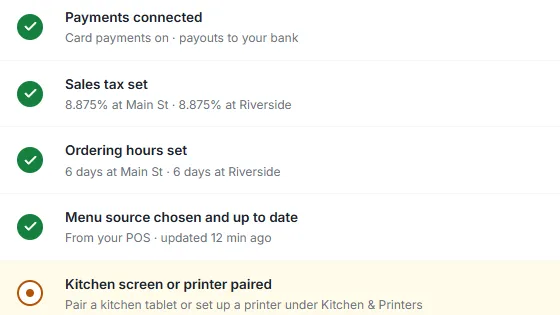
Six checks, then one switch.
Until every check is green, your order page tells guests it is opening soon. Nothing goes live by accident.
Payments and sales tax
Connect your own payment account and set sales tax for each location. Orders are paid to you from the very first one.
Hours, menu and kitchen
Set ordering hours and closure days, choose which of your menus guests order from, and pair a kitchen screen or a ticket printer.
A test order, then live
Place a test order and refund it. When all six checks are green, one switch opens ordering on your website.
Saturday, 9:04am: the order starts on your menu
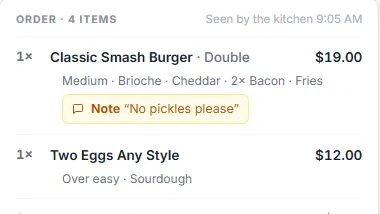
Follow one order through the system. It is an example, built on the same sample data you see in the screenshots below. A regular wants brunch at home. Instead of opening a delivery app, she taps the order button on your menu page and builds four items, among them a double smash burger, medium, on brioche with cheddar and extra bacon, a note that says no pickles please, and two eggs over easy on sourdough.
The menu she orders from is the menu on your site, with its sizes and option groups. There is no second copy that fell behind your last price change, because there is only one menu. If it lives in Toast today, it can be brought in on a best-effort basis, and you review every item before it can be ordered.
Checkout takes five short steps: how she wants it, when, her details, the tip and payment. She picks pickup and sees ready in about 20 minutes, your quoted prep time. With scheduling turned on, she could pick a 15-minute slot up to three days ahead instead. Ordering hours and closure days are set per location in its own time zone, and an order outside them is refused rather than taken by mistake.
The money reaches you before the kitchen sees it
She pays, and the charge is made on your own payment account. Card details never pass through Tableify, and the money never waits in an account of ours for a weekly statement. Payouts follow your payment account's own schedule.
Her total is worked out on our side from your stored menu, not from whatever her browser sends, so a tampered price can never be charged. She chose an 18 percent tip from the 15, 18, 20 or 25 percent buttons; she could also type her own amount or leave none. Tax is set per location, and each item is marked taxable or not.
Commission-free means Tableify takes nothing from the food, the tip, the tax or a delivery fee. Card processing is charged by the payment processor on your account, the same as a card at your register. On some plans a flat fee per order is added at checkout and paid by the guest, on its own line; the top plan has none. The chart at the top of this page shows what a percentage costs instead, as sample math.
9:05am: the ticket lands in the New lane
A chime sounds and the order appears on the kitchen screen in the lane marked New, with every option spelled out and her note in its own box. The line moves it to Preparing, then Ready, then Done. Each ticket carries a timer that turns amber at five minutes and red at ten, so a bag that slipped behind the pass gets noticed before the guest is standing at the counter.
A band across the ticket calls out allergies. A running count at the side shows how many of each item are on order right now, so the grill knows it owes six burgers, not one. Scheduled orders stay off the board until 25 minutes before they are due, instead of cluttering it all morning.
If your kitchen likes paper, the same ticket can print on a Bluetooth, Wi-Fi or cloud kitchen printer.
Mid-rush, the sourdough runs out
At 10:30 the last loaf is gone. The cook taps sourdough as sold out on the kitchen screen, just that option, not the whole eggs dish, and within about a minute your live menu stops offering it. Nobody has to log in to a separate app to update a copy of the menu, and nobody has to call a guest to apologize for toast you no longer have.
It stays sold out until someone switches it back, so a fresh delivery on Sunday morning is one more tap. When the room is slammed, busy mode adds time to every quote so guests are told the truth about the wait, and you can pause new orders for a while and reopen them from the same screen.
Type your restaurant's name. The free report shows how you come up on Google and in AI answers, next to the places near you.
Ready at the counter, or out with your driver
Her order is pickup, so when the line marks it Ready she gets a text saying so, and she walks in to a bag with her name on it. Had she chosen delivery, the order would have gone to one of your own drivers, inside the delivery area you set, with the delivery fee and the minimum order you chose.
Drivers get a simple screen on their phone with the address and the order. At the door they take a photo of the hand-off, so a question like where did my food go has an answer with a picture attached. The driver is yours, the guest is yours, and nobody in the middle takes a share for carrying the bag.
What the guest hears, and from whom
Once your restaurant's own texting number is approved, every text comes from you. She got one when the order was received, with the ready time and a link to follow its progress, and one when it was ready. A delivery guest also hears when the order is on its way. If an order is refunded or canceled, that gets a text too, and a receipt goes to her email.
Those messages carry your name, not an app's. A guest who orders from you on Saturday sees your restaurant in her messages on Monday, not a list of other places nearby, which is the quiet reason ordering on your own site builds regulars.
When something goes wrong: the refund
Say the eggs went out cold. You can refund the whole order, a partial amount, or just the lines that went wrong. Refund the eggs alone and the item and its tax go back to her card while the tip stays with your team, where it belongs. She gets a text that the refund is on its way, and the report records it on the day it happened.
Because the charge was made on your own account, the refund comes from your account too, with no one else's approval in between. A short apology and a quick refund on Saturday is usually the reason she orders again the next weekend.
At close: one report, and next week's orders
By evening her order is one line on the day's report: sales, tips, tax, card fees, refunds and payouts, day by day, with a CSV export for your bookkeeper and an optional daily summary by email. There is no commission line on it, because there is no commission.
The regulars are where this pays. Keep the delivery apps for strangers who would never have found you, and point the people who already know you to your own site: the order link on your Google Business Profile, on the menu page, on the bag and at the register. Write the menu as text so guests and assistants can read it; the menu SEO guide shows how. The website cost guide adds up every per-sale fee before you compare, and the same site sells gift cards and takes reservations with one payment account.
Everything that order touched.
One menu, one payment account and one kitchen screen, all on your own site.
Orders from your live menu
Sizes, options and notes from the menu on your site. Mark something sold out and it stops selling.
Paid to your own account
Every order is charged on your own payment account. We never take a percentage.
A kitchen screen
Lanes from New to Done, timers that turn amber and red, allergy bands and a chime.
Now or scheduled
Ready in your quoted time, or a 15-minute slot up to three days ahead.
Your own drivers
A delivery area, fee and minimum you set, and a photo at every hand-off.
One report a day
Sales, tips, tax, card fees, refunds and payouts, ready to export.
The order, on screen and on the plate
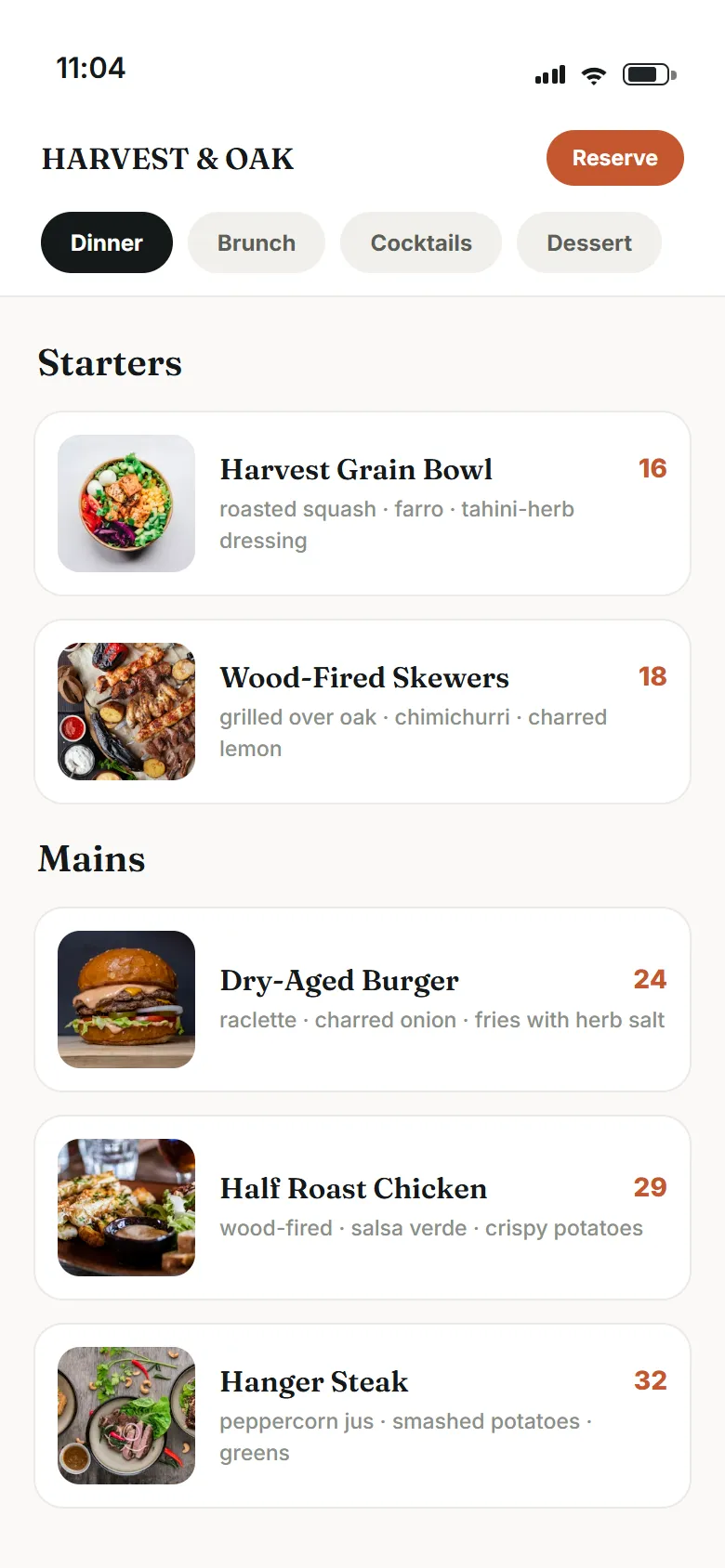
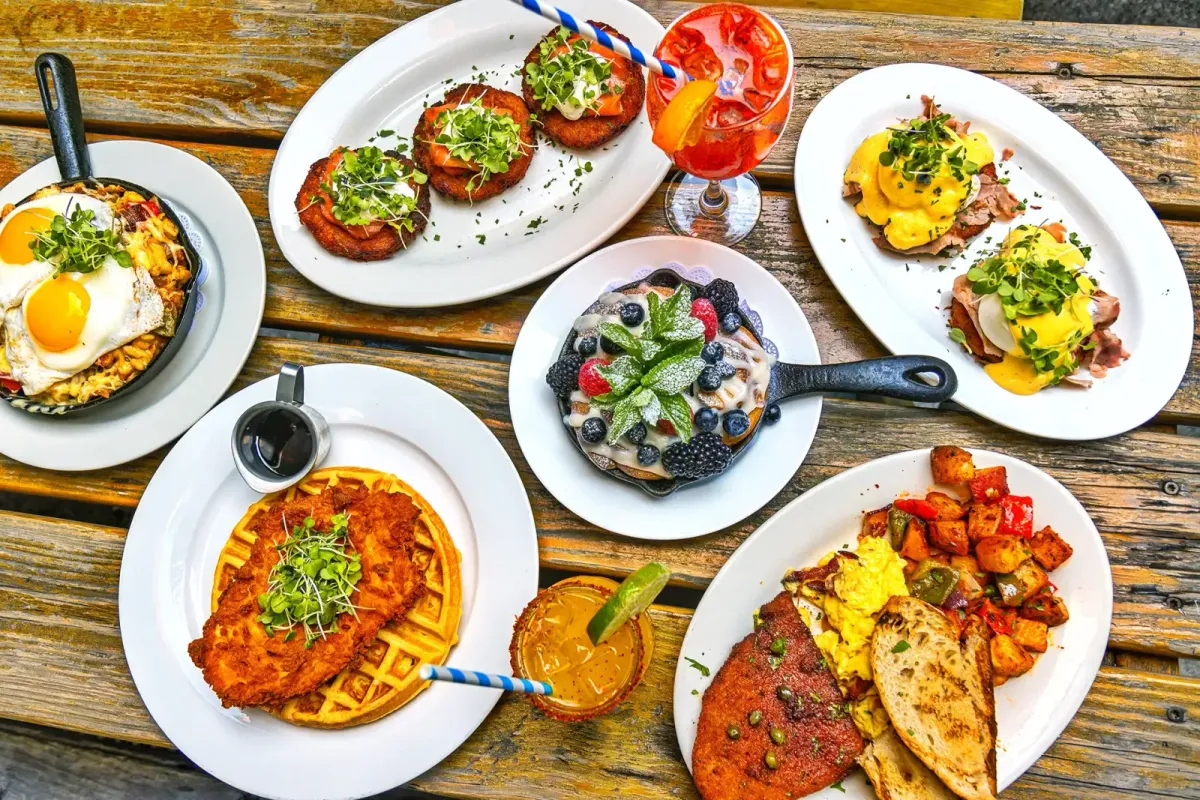
A dish photo that sells the order before the cart, and two ordering screens shown with example data.
No commission on orders. Ever.
- Not a percentage of food, tips, tax or delivery.
- Every order is charged on your own payment account.
- One flat monthly price, no contract.
Questions about commission-free ordering
What does commission-free online ordering mean?
It means we never take a percentage of your orders: not of the food, the tip, the tax or a delivery fee. On some plans a flat fee per order is added at checkout and paid by the guest, and the top plan has none. Card processing is still charged by your payment processor on your own account, as it is at the register.
Who pays the per-order fee?
The guest pays it, as its own line at checkout, and only on plans that carry it. It is a flat amount, never a percentage, so it does not grow with the size of the order. On the top plan there is no per-order fee at all.
How much does a 10 percent commission cost a restaurant in a year?
Multiply your monthly online orders by the rate, then by twelve. At $8,000 a month, a 10 percent cut is $800 a month, or $9,600 a year, and it doubles when your orders double. The chart on this page shows that sample math at four order totals; put in your own numbers.
Can I keep the delivery apps too?
You can. Keep them for reach with guests who have never heard of you, and point your regulars to ordering on your own site, where nothing comes off the top. Put the order link on your Google listing, your menu page and your bags. Over time the share of orders that pay a commission shrinks.
What happens when a dish sells out during service?
Someone taps it sold out on the kitchen screen, the whole dish or a single option, and your live menu stops offering it within about a minute. It stays that way until someone switches it back. Nobody has to update a second copy of the menu anywhere.
Can I offer delivery without a delivery app?
Yes, with your own drivers. You set the delivery area, the fee and a minimum order, and drivers get a phone screen with the order and take a photo at hand-off. Guests get a text when the order is on its way, once your texting number is approved.
Can guests order ahead for a later time?
Yes, if you turn scheduling on. Guests pick a 15-minute slot up to three days ahead, and the order shows on the kitchen screen 25 minutes before it is due. Without scheduling, they see your quoted prep time instead.
Take orders on your site.
See how your menu shows up on search and in AI answers when someone nearby is deciding what to order. Free, about a minute.