Checklist · 10 min read
Restaurant reservation system checklist: 8 things to ask
Eight questions to put to any booking system before you sign, ours included. Bring them to the demo, ask them in the same words and write the answers down.
The short answer
Before you sign, ask eight things: is there a fee per cover, where do deposits land, when do reminders go out, can guests answer them, can tables change per shift, what can the floor plan do, where do phone bookings go, and how long is the contract. The first two answers decide most of the cost.
- Price your busiest month, not the starting price.
- Deposits should land in your own account.
- Get every answer in writing before you sign.
At a glance
- Questions to ask
- Eight, before you sign anything
- The cost to check first
- A fee on every cover
- Where deposits should go
- Straight to your own account
- A reminder guests can answer
- Reply to confirm or cancel
- Contract to look for
- Month to month
Side by side
The eight questions, three ways to take bookings.
How the answers usually come back, question by question.
| Question | Tableify | Other reservation systems | Phone and paper |
|---|---|---|---|
| 1. Is there a fee per cover? | Yes:No, one flat price | Varies:Some charge for every cover | Varies:No fee, but calls mid-service |
| 2. Where do deposits land? | Yes:Your own account, no cut | Varies:Varies by plan, so ask | No:Hard to take a deposit |
| 3. When do reminders go out? | Yes:One text to unconfirmed guests | Yes:Usually included | No:Someone has to call |
| 4. Can guests answer the reminder? | Yes:Reply 1 or 9 once texting is live | Varies:Varies, test it on a phone | No:Only by calling back |
| 5. Can tables change per shift? | Yes:Online, phone only, walk-ins, closed | Varies:Ask how fine it gets | Varies:A note in the book |
| 6. What can the floor plan do? | Yes:Saved layouts, tables pushed together | Yes:Usually included | Varies:A sketch on paper |
| 7. Where do phone bookings go? | Yes:The same book as online ones | Varies:Ask to see one entered | Varies:The notebook by the phone |
| 8. How long is the contract? | Yes:Month to month | Varies:Some ask for a yearly term | Yes:No contract at all |
“Other reservation systems” sums up what is common in the category. Terms differ by company and by plan, so ask each one for its own answers in writing.
Chart · sample math
At 1,000 covers booked online each month, a $1 fee for every cover adds up to $12,000 a year.
What a fee per cover costs over twelve months as online bookings grow.
See the numbers
The numbers
| Covers booked online each month | A $1 fee per cover, over a year |
|---|---|
| 500 | $6,000 |
| 1,000 | $12,000 |
| 2,000 | $24,000 |
| 3,000 | $36,000 |
The eight questions, one by one
1. Is there a fee for every cover?
Start here, because this one question decides most of what a booking system costs. Some systems charge a small amount for each guest booked online, or for each booking that arrives through their own app or listing. On a slow Tuesday that is pocket change. On the Saturday before a holiday, with every table turned twice, it becomes the biggest line on the bill, and it grows every time your marketing works.
So never compare starting prices. Ask each company for the total of your busiest month last year, with every fee counted, and ask for it in writing. The chart above is sample math, not anyone's price: at 1,000 covers a month, a $1 fee per cover comes to $12,000 a year. Tableify charges one flat price with no fee per cover, so your best month costs the same as your slowest. The guide to what a restaurant website really costs shows how to lay a full year side by side.
2. Where does deposit money land, and when?
A deposit or a card on file turns a maybe into a commitment, but only if the money behaves the way you expect. Ask four things: whose account the deposit is paid into, how long it takes to reach you, whether the system keeps a percent of it, and who handles it when a guest disputes the charge. Card processing is a cost wherever you go; a cut on top of it is the part to look for.
On Tableify, deposits, late-cancel fees and no-show fees are charged on your own payment account, and Tableify takes no cut. A deposit can depend on the party size, the day, the date, the room, the shift or the experience, so a quiet weeknight stays easy to book while New Year's Eve asks for a commitment. The guest sees the policy before paying. The guide to cutting no-shows covers how to set the amounts.
3. When do reminders go out, and to whom?
Every system says it sends reminders, so ask what exactly goes out, when, and to whom. A reminder sent to a guest who already confirmed is noise. A reminder that lands an hour before the booking is too late to resell the table if the guest cancels.
Tableify sends a confirmation text when the booking is made. Then one reminder goes to the guests who have not confirmed: at 9am the day before, or at noon on the day for a booking made after that. Guests who already said yes are left alone. Texts go out from your restaurant's own number once the carriers approve it, so ask every company you compare whose number its texts come from, and whose name the guest sees.
4. Can a guest answer the reminder?
This is the question most demos skip. A reminder that only says see you tomorrow catches a forgotten plan, but a guest who can no longer come has no quick way to say so, and the table sits empty. A reminder the guest can answer hands you the table back early enough to sell it again.
Where two-way texting is set up for your number, a Tableify guest replies 1 to confirm or 9 to cancel, and the booking updates without anyone at the restaurant touching it. Ask every company to send its reminder to your own phone during the demo, then try canceling from it yourself. Watch what happens to the table next: it should open for online booking again on its own.
Free · about a minute
How do guests find you today?
Type your restaurant's name. The free report shows how you come up on Google and in AI answers, next to the places near you.
FreeAbout a minuteNo card
5. Can each shift set its own table status?
Online booking should never take over the whole room. On a Saturday you may want the patio bookable online, two tables kept for regulars who call, and the bar tables held for whoever walks in. Ask whether a system lets you set that per shift and per table, or only for the whole room at once.
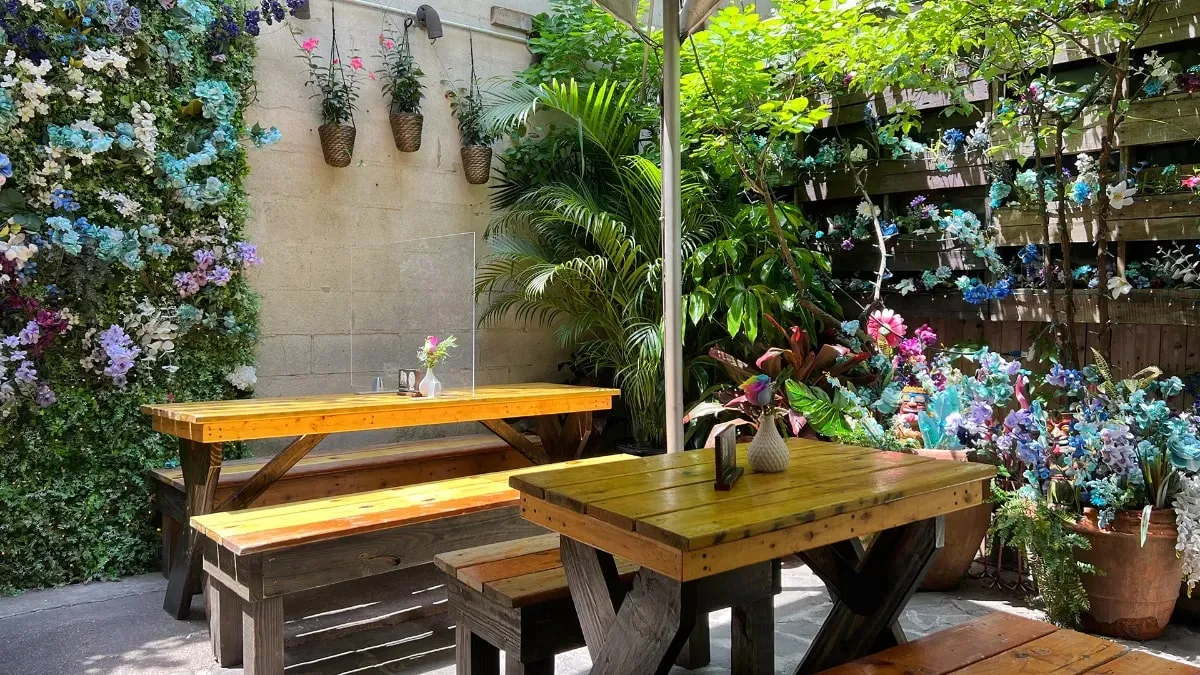
Tableify sets every table, for every shift, to one of four states: bookable online, phone only, walk-ins only, or closed. A table held for walk-ins takes no online or phone booking, so the guests on the sidewalk always have somewhere to sit. If you want to know which of them came because of your ads, QR code menus on those tables count each scan. Shifts also carry a cap on covers per 15 minutes, so the kitchen is not handed every table in the same few minutes.
6. What can the floor plan actually do?
A floor plan that is only a picture does not help on a busy night. Ask whether tables can be pushed together and sold as one larger table, whether you can save more than one layout, and whether the plan knows about the things that are not tables, like the bar and the pillars your servers walk around.
On Tableify, the floor plan holds fixtures, table combinations that sell as one table, and named saved layouts, such as a summer layout with the garden open and a winter one with it closed. A party of ten books the combined table at the size it really seats, instead of calling to ask whether two tables can be joined. The reservation system page shows the rest of the setup, shift by shift.
7. Where does a phone booking go?
Plenty of guests still call, especially for a big table or a birthday. Ask how staff enter a phone booking, whether it lands in the same book as the online ones, and what they can note on it. Two books for one room is how the same table gets promised twice.
On Tableify, staff add phone bookings to the same calendar the website books into, with notes for allergies, a celebration or the team. A table set to phone only stays bookable by staff while it is hidden online, so a regular who calls on Thursday can still get the corner table. A week calendar and the booking history sit beside it. When a guest starts booking online and stops before the end, the half-finished booking is kept as a list your staff can call back, then deleted after 90 days.
A request for 40 is a different kind of call: a conversation about the room, the menu and the minimum. Ask whether it gets its own form and record. On Tableify it does, in private event software and the CRM, beside the table bookings.
8. How long is the contract, and can you leave?
Ask this one last, and ask it plainly. Some reservation companies ask for a yearly term; others run month to month. Ask what it costs to leave early, whether your guest list comes with you as a file you can open, and who moves the bookings already on the calendar when you switch.
Tableify plans run month to month and you can cancel anytime. The calm way to switch from any system is to pick a start date, keep the old one for the bookings it already holds and send every new booking to the new one. To see how Tableify answers the rest of a buyer's questions, beyond reservations, the checklist on whether Tableify fits goes through them one by one.
Scorecard
Score the system you have now.
One tick for every question your current setup answers well. Nothing is saved and nothing is sent.
Your score
0 / 8
Time to ask around.
Most of the list is open. Take the eight questions to your next demo, and run the free report to see how guests near you book today.
Three of the questions, from the guest's side
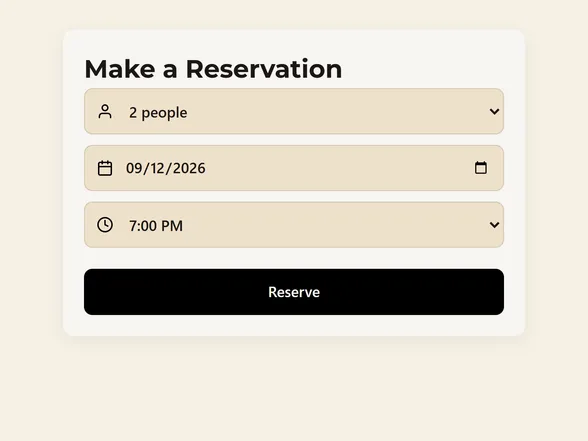
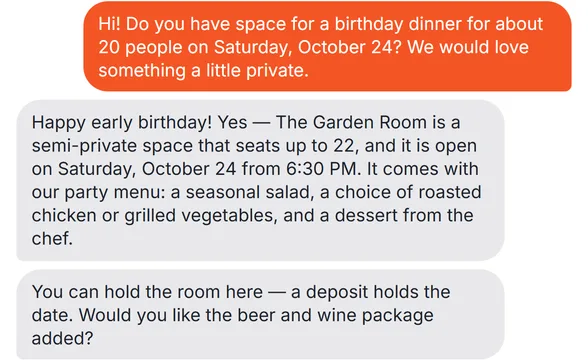
What a booking, a room request and a shift's open tables look like to the guest.
Questions about reservation systems
What should a restaurant reservation system cost?
Judge it by the total for your busiest month, not the starting price. A fee per cover grows with every guest you seat, while a flat price stays the same on your best nights. Add any fees on deposits, on bookings that come through the company's own app and on extra texts, and ask for the total in writing.
Is there a reservation system with no commission?
Yes. Tableify charges one flat price with no fee per cover and no cut of deposits, and deposit money is paid into your own account. Whatever you choose, ask whether any fee rises with your covers, deposits or bookings. The reservation system page lists what is included.
Where should reservation deposits go?
Into your own payment account. Ask any system whose account holds the money, how long it takes to reach you and whether it keeps a percent. On Tableify, deposits and no-show fees are charged on your own account with no platform fee.
Can guests cancel a reservation by text?
On Tableify they can, where two-way texting is set up for your number: a guest replies 1 to confirm or 9 to cancel. A canceled booking frees the table for someone else. Ask any system you compare to show its reminder on a real phone, and try canceling from it yourself.
Can I keep tables for walk-ins on a busy night?
Yes. On Tableify each table can be set, shift by shift, to online, phone only, walk-ins only or closed, and a walk-in table takes no booking at all. That keeps room for guests who walk past and decide on the spot. Ask any system you compare whether it can do the same per table, not only per room.
How long should a reservation system contract be?
Month to month is the safest answer, because then the system has to keep earning your business. If a company asks for a yearly term, ask what leaving early costs and get it in writing. Tableify plans are month to month and you can cancel anytime.
Can I switch systems without losing my bookings?
Yes, if you plan the changeover. Pick a start date, keep the old system for the bookings it already holds and send every new booking to the new one. Export your guest list before you cancel, and tell your staff the date so phone bookings land in the right place.
Should guests book on my website or in a booking app?
On your website, when you can. A booking on your own site keeps the guest on your page, with your menu and rooms in view, and keeps their details with you. It also gives search engines and assistants a page worth sending hungry guests to, which the restaurant SEO guide explains.
Bring the eight questions.
Then check how a guest nearby finds and books a table with you today. Free, about a minute, before you sign anything new.
Rather talk it through? Book a quick call