Tableify CRM: a restaurant CRM for guests and events
Party requests arrive by form, text, email and direct message. Tableify CRM puts each one on a single record, so you can always say what is still open.
One record for every party, and a list of what is open.
Built around what a party request needs, from the first message to the deposit.
One record per party
Date, time, headcount, room, budget, occasion and notes, with every message the guest sent.
Every channel, one inbox
Reply by email, Instagram, Facebook or web chat, and by text once your number is approved.
Repeats folded in
A second request from the same guest joins their open record, with the change pointed out.
The source on every record
Search, an ad down to the ad itself, social, a referral or an AI assistant.
Stages you can read
From New to Proposal Sent, then Booked, Lost or Canceled, as a list or a board.
A value on every party
Confirmed spend first, then the best estimate, so you know how firm each number is.
Four places, and nobody can say what is open
Ask most restaurant owners how many party requests are still waiting on an answer and you get a pause. Some came through the website form and sit in an email inbox. Some arrived as texts on the manager's phone. A few are Instagram messages, and the rest are names in a notebook by the bar. Each place holds part of the answer, and nobody holds all of it.
That pause costs real parties. A planner who asks four restaurants about a birthday dinner books the one that comes back with a clear answer, and a request nobody remembers is a party that goes somewhere else. Tableify CRM exists to end the pause: every request, from every channel, becomes one record on one list, and that list can be narrowed to exactly what is still open.
What a single party record holds
A general sales CRM is built around companies and deals, so restaurants bend it to fit with homemade fields. Tableify CRM starts with what a party actually needs. Each record carries the guest's name and contact details, the event type, the date and time, the headcount, how long they want the room, which room, their budget and any notes your team adds.
Below those fields sits every message the guest has sent, in order, whatever channel it came through, and every reply that went back. The person quoting the party on Thursday sees what the guest said on Monday without asking anyone. Search reaches across names, emails, phone numbers, companies, rooms, campaigns, event types and notes, and filters narrow the list by stage, room and date, so a half-remembered engagement party is a few letters away.
When the same guest writes twice
Planners rarely send one message. They fill in the form, then text a question about parking, then email a new headcount from work. In a scattered setup each of those looks like a fresh inquiry, and two people on your team can end up quoting the same party at two different prices.
Tableify CRM folds a repeat request into the guest's open record and tells your team what changed, so a new headcount or a new date lands on the party you already know about. When two records still turn out to be the same person, someone on your team can merge them by hand. The messages move across to the record that stays, and nothing is deleted along the way.
The open list, and what it is worth today
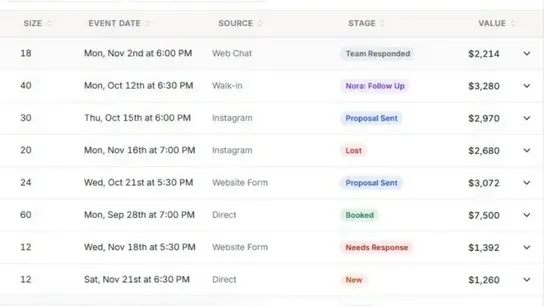
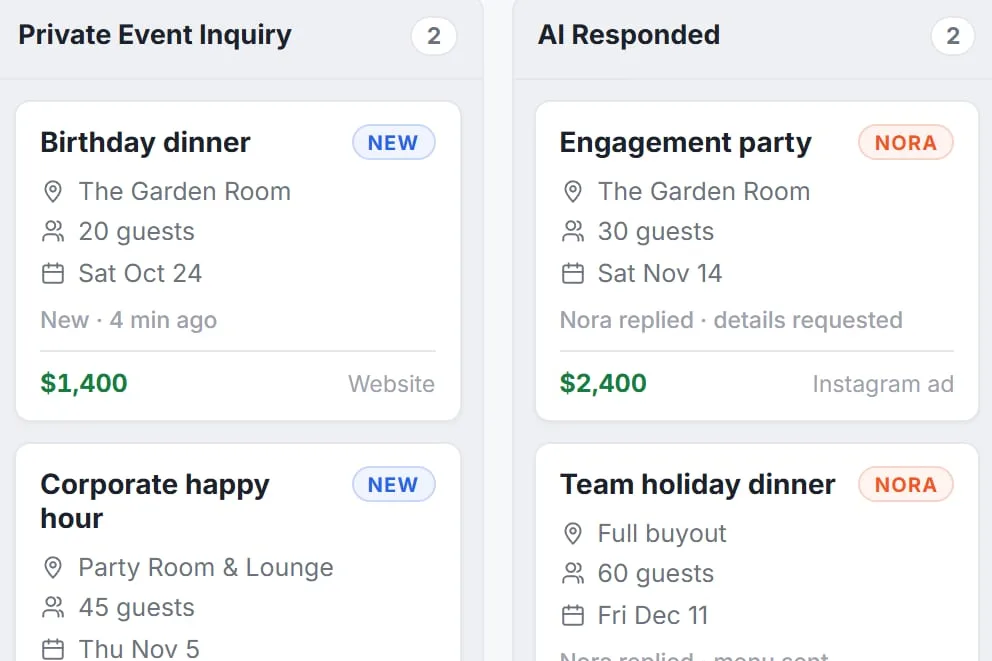
Every record moves through stages that follow how parties actually book: New, Nora answering, Needs Response, Team Responded, Proposal Sent, then Booked, Lost or Canceled. Open simply means a party that has not reached one of those last three. Read the open parties as a list, or drag them across a board as they move, and the upcoming events tab shows what is already on the books this week.
Each record also carries a value, worked out in a fixed order: the final spend your team confirmed, otherwise a value someone typed in, otherwise the budget the guest gave, otherwise the headcount times your amount per guest. Filter to the open stages and those values tell you what the open list is worth today, and how much of it is a confirmed figure rather than an estimate. Every record can be exported for your bookkeeper or your own spreadsheet.
The report adds the questions owners ask at the end of a month: how many requests booked, the share that booked, the booked value, guests per event, how many days a party takes to book, and how the estimates compared with the final bills.
Type your restaurant's name. The free report shows how you come up on Google and in AI answers, next to the places near you.
Where each party came from, kept on the record
Every record keeps its source: direct, search, a paid ad with its campaign name, social, email, a referral, or an AI assistant that sent the guest to your site. It also keeps the page the guest landed on and, for an ad, the campaign, the ad set and the ad itself. That is the difference between saying you ran some ads and knowing which ad brought in office parties that booked.
The AI assistant label is the newest one and worth watching. More planners now ask an assistant to suggest a room before they search anywhere else, then click through to the place it names. When that click turns into a request, the record says so, and over a few months you can see whether the pages written for assistants are paying off. The guide to showing up in AI answers covers those pages. For guests who never send a request at all, QR code menus count the scans instead.
From the first reply to a signed agreement
Nora, the AI event manager, answers new requests as they arrive, writes the details onto the party's record and flags the ones that look ready to book. The moment your team replies, she steps back from that conversation. If you want quiet planners to hear from you again, switch on follow-up emails: they go out 2, 5 and 10 days later and stop as soon as the guest writes back.
When a party is ready, the same record sends the invoice, an agreement in your own wording for the guest to sign online, and the links for the deposit and the balance. The guest pays into your own payment account and Tableify takes no cut. The private event software page covers the room pages and inquiry forms that feed the list in the first place.
Bringing the old list over, as one beer garden did
Nobody wants to run two lists side by side, so our team moves your open requests and past parties into Tableify when you start. You do not export spreadsheets or rebuild anything yourself: the records arrive with their dates, headcounts and rooms, ready for your team to pick up on day one.
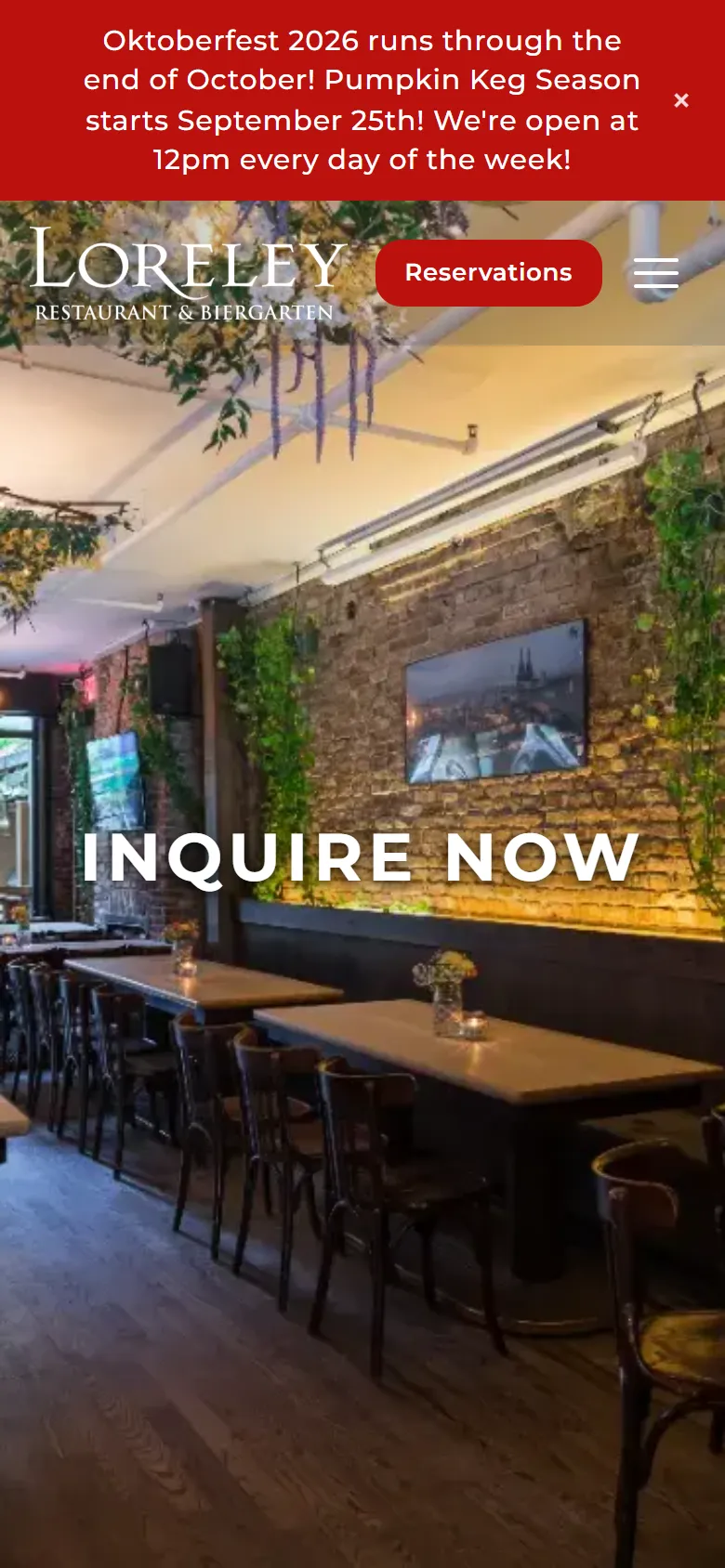
Loreley Beer Garden on the Lower East Side of New York shows how that works in practice. Every party request it receives sits in Tableify on one record, from the first message to the booked date. The requests it had before were brought over by our team, so its whole history of parties lives in one list it can search. A guest who wrote in more than once is one record, not two, with every message attached to it.
The result is one history instead of two halves. Every party request since May sits in the same list, each one counted once, and the beer garden's case study traces its figures back to those records rather than to two systems that disagree.
A Monday morning with the open list
Monday starts with two views. The Needs Response stage shows every request still waiting on a person, so the rehearsal dinner that came in over the weekend does not sit until Wednesday. The upcoming events tab shows what is booked this week, so the kitchen hears about the Saturday buyout on Monday, not on Friday afternoon.
During the week, replies go out from the same inbox whatever channel the guest used, and proposals and invoices go out from the record itself. Parties that fall through are marked Lost, which keeps the open list honest instead of padded with requests nobody is chasing. Table bookings for two stay in Tableify reservations and catering requests can run in a pipeline of their own, so the party list stays a party list. The checklist on whether Tableify fits covers the rest of the platform.
The list, the board and the room they fill
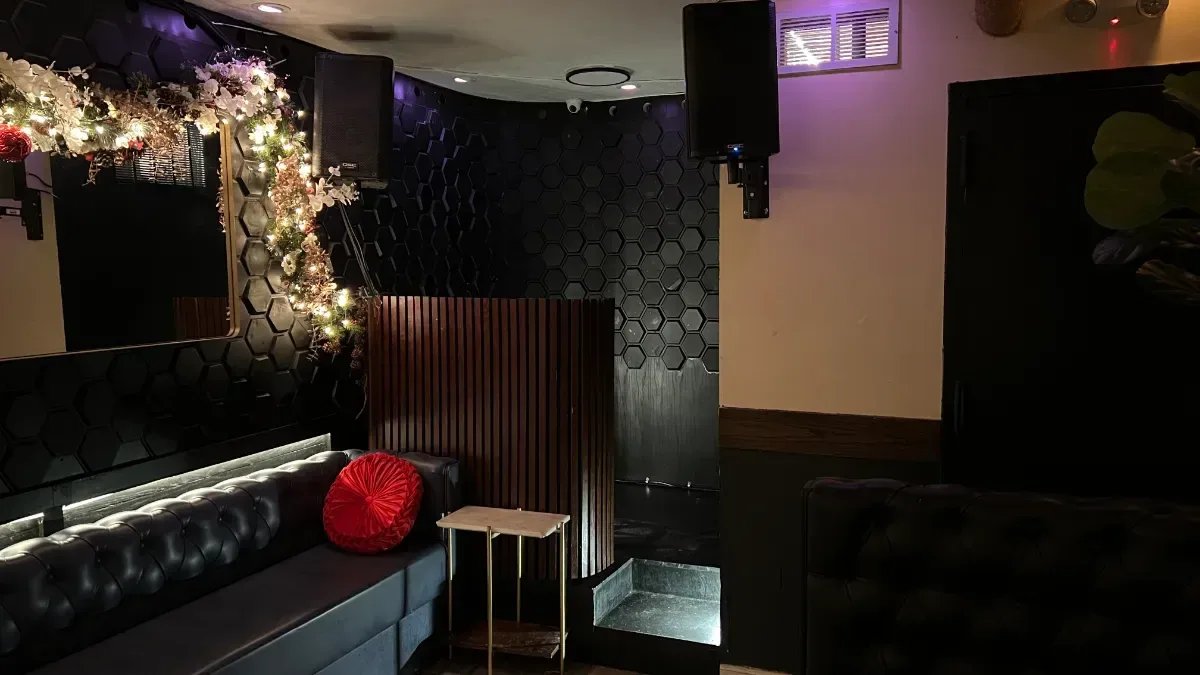
Two views of the same requests, shown with sample data, and the party room at the beer garden whose old list we brought over.
Questions about a restaurant CRM
What is a restaurant CRM?
It is one place for every guest who asks about a party, a group or an event, with the details a restaurant needs: the date, the headcount, the room and the budget. It keeps every message on the same record and shows where each guest came from. For most restaurants it simply means no party request gets lost between inboxes.
How do I see which party requests are still open?
Every record sits in a stage, from New through Proposal Sent, and only Booked, Lost or Canceled close it. Filter the list or the board to the open stages and you see every party still in play, with the date, room and value on each. The Needs Response stage shows the ones waiting on your team.
What happens when a guest sends the same request twice?
A repeat request is folded into the guest's open record, and your team is told what changed, such as a new date or headcount. If two records still turn out to be the same person, they can be merged by hand. The messages move to one record and nothing is deleted.
Can you bring over the requests from my old system?
Yes, our team does it when you start, so you never run two lists at once. Your open requests and past parties arrive with their dates, headcounts and rooms. The beer garden in our case study had its earlier pipeline brought over this way, with each guest counted once.
How is a party's value worked out?
In a fixed order: the final spend your team confirmed, otherwise a value someone entered, otherwise the guest's own budget, otherwise the headcount times your amount per guest. That way every record has a value, and you can tell a confirmed number from an estimate. Every record can be exported for your bookkeeper.
Can I see which ads or pages bring in parties?
Yes. Each record shows its source, the page the guest landed on and, for an ad, the campaign, ad set and ad. Requests sent by an AI assistant are labeled too. The guide to AI answers covers how to earn more of those.
Does the CRM answer guests for me?
Nora, the AI event manager, answers new requests as they arrive and flags the ones ready to book, then steps back once your team replies. Follow-up emails to quiet guests can be switched on, and they stop when the guest writes back. Prices, the agreement and the close stay with your team.
Do I pay a cut of event deposits?
No. Invoices, deposits and balances are paid into your own payment account, and Tableify takes no percentage. The CRM comes with the full website plans at one flat monthly price. The private event software page shows how a party gets from the room page to a paid deposit.
One flat price, and no cut of your parties.
- No percentage of deposits, invoices or event sales.
- Guests pay into your own payment account.
- One flat monthly price; leave whenever you like.
See if planners can find you.
Check how planners near you look for a party room, and whether your restaurant comes up. Free, about a minute.