Tableify Website: a restaurant website builder
A website built for you in two to four weeks from your menu, rooms and photos, with booking, ordering, gift cards and party inquiries on your own domain.
Tableify builds your restaurant website for you in two to four weeks. You send what you have: the current site, menus as a link, PDF or photos, pictures and a few lines about the place. We build every page, you approve four things before launch, and then your domain moves to the new site.
- Your menu is read in from a link, PDF or photos.
- Four go-live approvals, each recorded with who and when.
- Booking, ordering, gift cards and inquiries stay on your domain.
- Setup
- Two to four weeks, done for you
- You send
- Current site, menus, photos, your story
- Menu import
- From a link, a PDF or photos
- Before launch
- Four approvals, recorded with who and when
- Annual plans
- Setup fee waived, photo shoot included
- After launch
- Hours, menus and specials changed yourself
From what you send to launch day.
Two to four weeks, depending on the plan and on whether a photo shoot is part of it.
You hand over what you have
The current site, menus as a link, a PDF or photos, pictures of the food and the rooms, and how the place started.
We build, you approve four things
Booking rules; words and photos; address, phones and hours; the menu and its prices. Each approval records who gave it and when.
Launch day
Your domain moves to the new site on a secure address, the bare domain forwards to www, and search engines get a list of its pages.
What the weeks produce
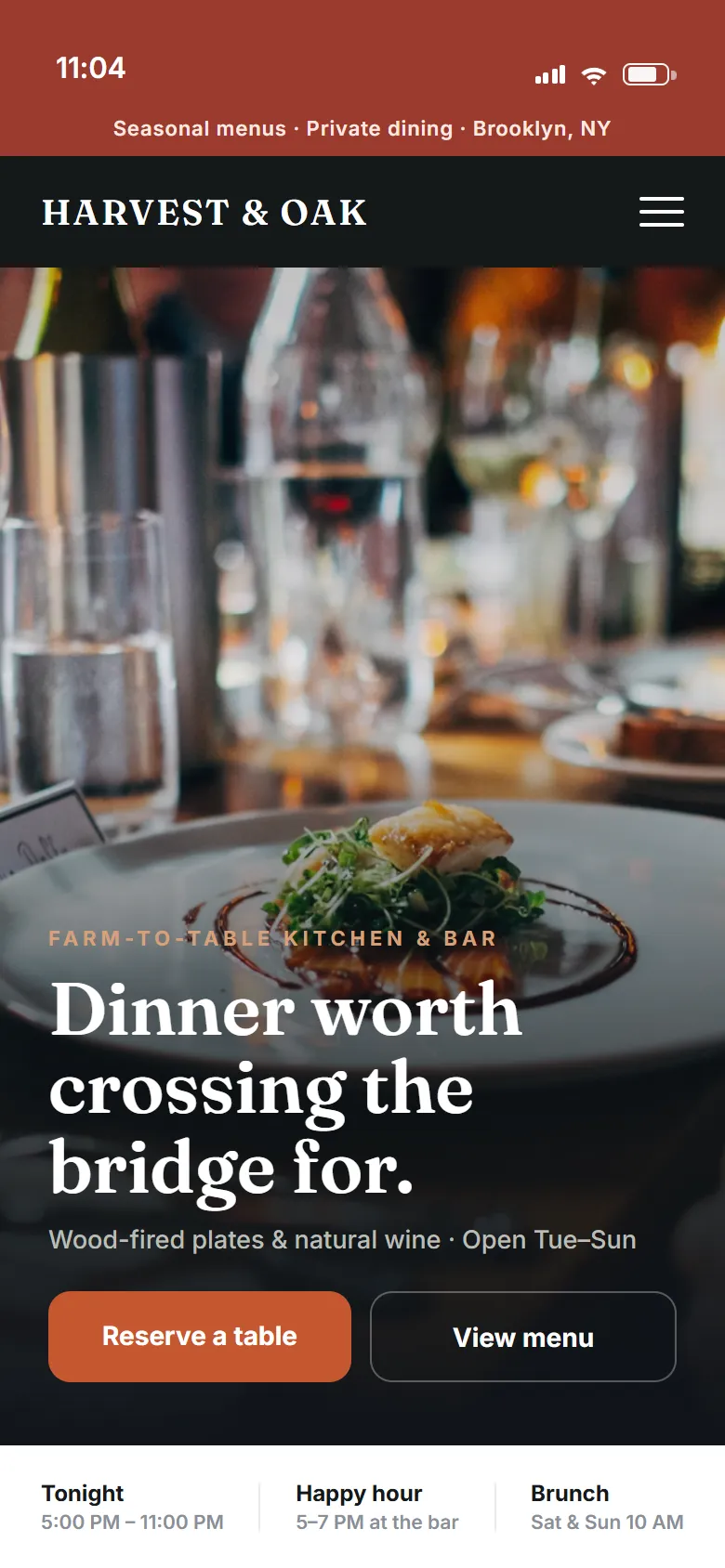
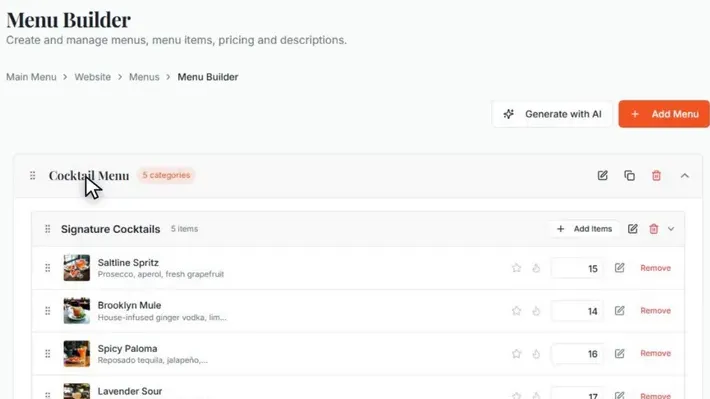
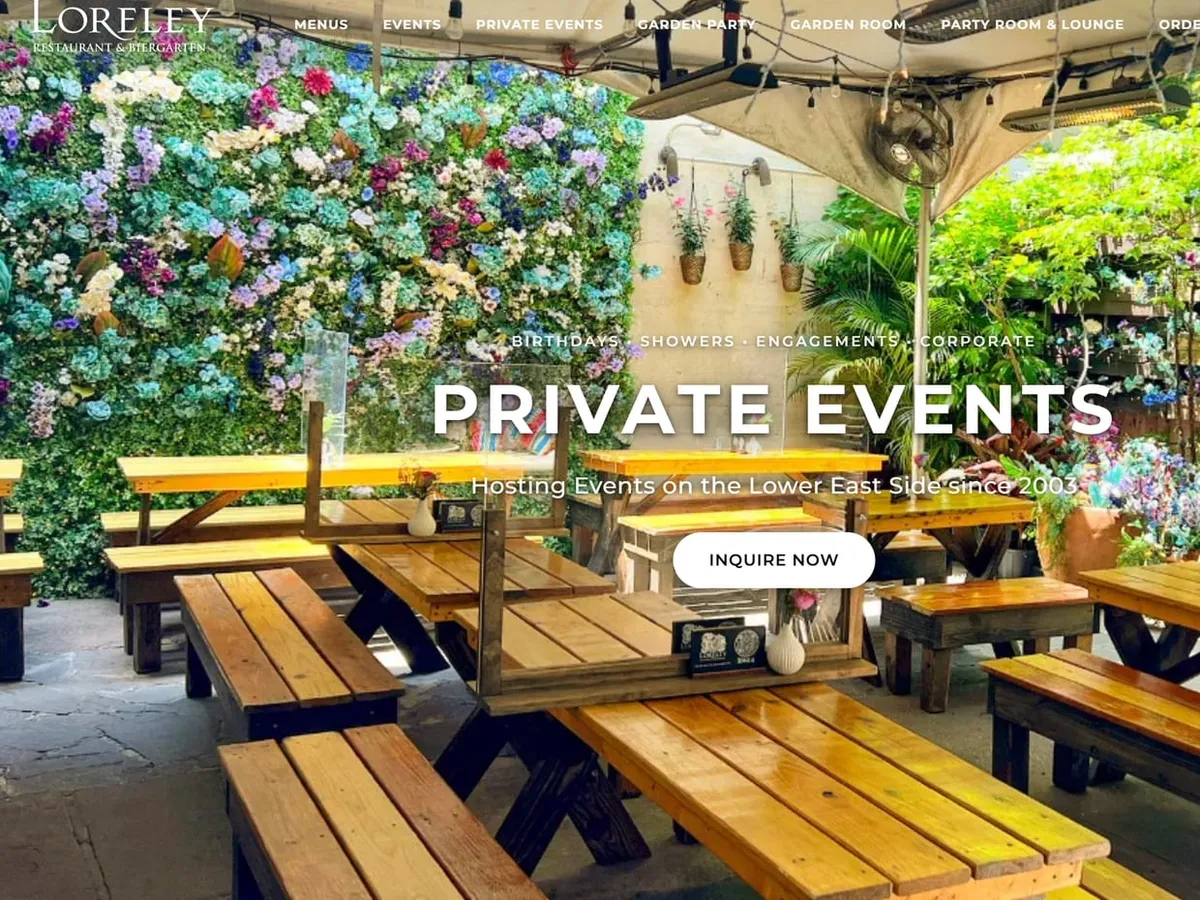
The menu editor with sample drinks, and two pages from a restaurant's site built on Tableify.
Before week one: the short list we ask for
The build starts with a short list, not a questionnaire. Send the address of your current site, your menus in whatever form they live in, the photos you like, the rooms you rent out and how many guests each one holds, and a few lines about how the place started. Addresses, phone numbers and hours for each location matter more than they seem, because they become the facts every page repeats and every listing should match.
You do not pick a template or write pages. If a photo shoot comes with your plan, it is scheduled early, so the new pictures are ready when the pages need them; annual plans include one and waive the setup fee. If your photos are thin today, the site launches with the best of what you have, and you or our team swap in better ones as they come.
Week one: the menu comes over without retyping
Retyping a menu is where most site rebuilds stall. Tableify reads the menu in from wherever it lives now: a link to the old site, a PDF, or photos of the printed pages. Every menu, section, dish, description and price comes through, and the dish photos on the old site are copied across, so the menu keeps working after the old site is switched off.
What comes out is text, not a picture of a menu. You check it in the menu editor, fix the two dishes that changed since the PDF was printed, and it is ready. The mobile menus page covers what the menu does once it is live, and the menu SEO guide covers why text beats a picture when guests search.
Prices are the part to check most closely. A price read from a photo of a printed menu is only as current as the day the menu was printed, so mark anything that has changed since, and the menu and prices approval before launch catches the rest. Dishes that change every day do not belong in the main menu at all; they go in the daily specials you edit yourself.
Weeks one and two: the pages get built
With the menu in, the pages a guest expects get built: a homepage that answers the first questions on one screen, the menu, hours and directions for each location, and a page for each room you rent out, with how many guests it holds. Booking, online ordering, gift cards and private event inquiries are built into the same site, depending on the pieces your plan includes, so no button sends a guest to another company's page.
Pages for the occasions people search for can follow: birthdays, office parties, showers, rehearsal dinners, the neighborhoods you draw from. Each is written from your real rooms and photos. The restaurant SEO guide explains why a page per room and occasion matters, and the guide to AI answers explains what assistants quote from them.
What happens underneath, so you never have to
Every page is built ahead of time when you publish and served finished, so a guest on a weak phone signal outside the door gets the page at once instead of waiting for it to be put together. Photos are converted to a lighter format when they are uploaded, and pictures further down a page load as the guest scrolls to them.
Each page is also labeled for search engines: your hours, your spot on the map, menu items with their prices, upcoming events and the questions you answer. Each site gets a sitemap, the list of its pages that search engines use to find them all. None of this needs a setting from you, and none of it changes how the page looks to a guest.
Type your restaurant's name. The free report shows how you come up on Google and in AI answers, next to the places near you.
The last week: four approvals before anything goes live
Before launch you review every page and ask for changes in plain words, the way you would brief a designer. Then you get one email, and four approvals wait on your own dashboard: the booking rules, every word and photo on the site, the address, phones and hours, and every dish with its price. Each approval shows you the real thing, your hours as guests will read them, your menu as the menu page and online ordering will show it, not a checkbox in the abstract.
Splitting them helps, because different people usually own them. A chef checks the dishes and prices, a manager the hours and phone numbers, the owner the words and photos, and whoever runs the floor the booking rules: when guests can book, how big a party can be and how far ahead. One press records who approved it and when. Nothing goes live until you approve.
Launch day: your domain moves over
On launch day your domain points to the new site. It runs on a secure address at your own domain, and the bare domain forwards to the www one, so a guest who types either lands in the same place. Then update the website link on your Google listing if it pointed anywhere else, and add your booking and menu links there too, so the listing and the site tell guests the same thing.
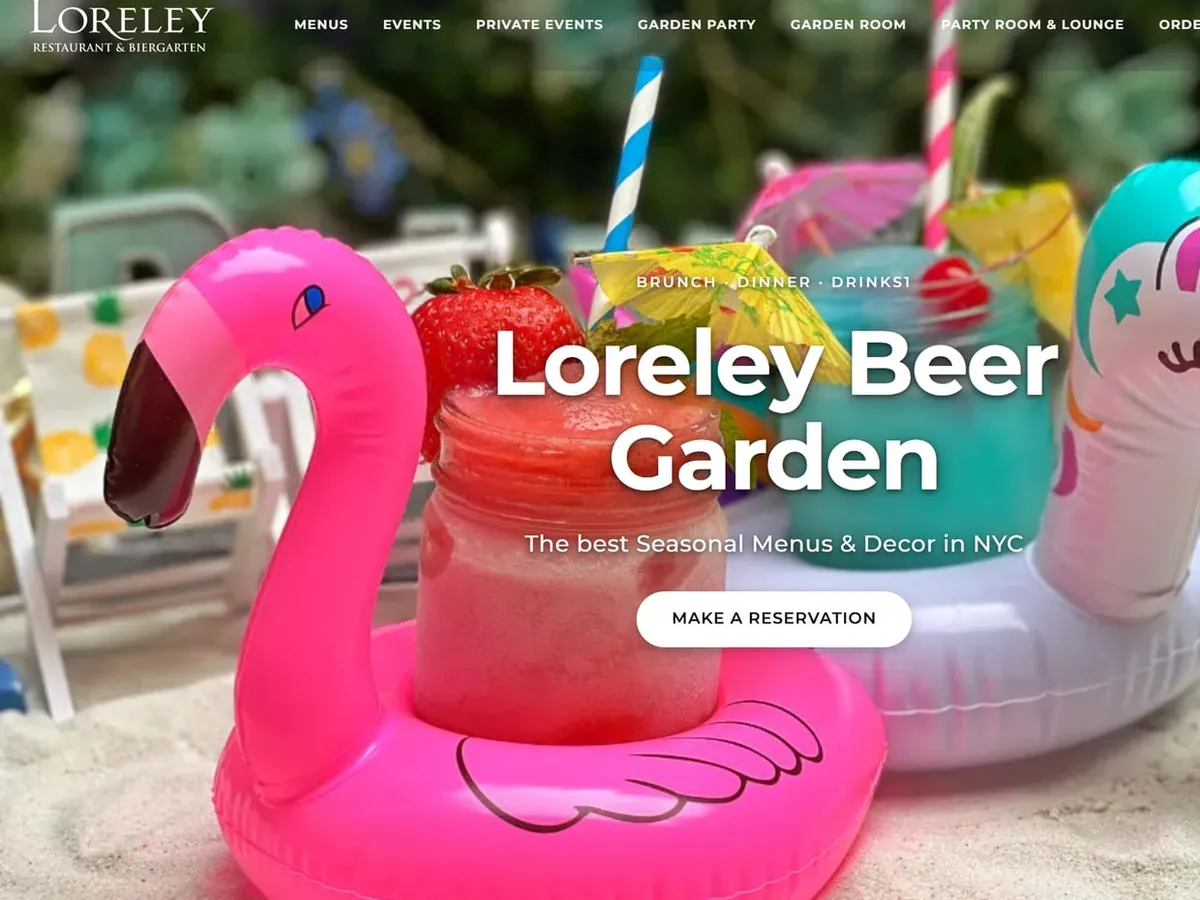
The beer garden in our case study went through these same steps, and its new site has run on Tableify hosting since July 6, 2026. Launch is a quiet day: the approvals happened the week before, so there is nothing left to decide, only a link or two to update.
After launch: the changes you make yourself
A restaurant changes every week, so the site has to keep up without a support ticket. From your Tableify account you change hours, menus, daily specials and the announcement bar across the top of the site, and publish when you are ready. A bar shows every change you saved but have not published yet, on any page, so nothing sits half-done. Holiday hours, a sold-out dish or a patio closing for the season take minutes.
If you would rather not, send the change to our team in plain words and it gets done for you. When guests start booking and inquiring on the new site, the reservation system and the private event software run from the same account, so a booking and a party inquiry land where your team already works.
Questions to ask any builder about the weeks before launch
A demo shows the finished site. The weeks before it are where a rebuild succeeds or stalls, so ask about them directly. The restaurant website checklist covers what a finished site should show a guest, and the guide to what a restaurant website costs covers the money.
- Who moves the menu: you, retyping it, or the builder, reading it in from your old site?
- How many weeks until launch, and what does the timing depend on?
- What do you approve before launch, and is each approval recorded?
- Does every booking, order and gift card stay on your own domain?
- Does the bare domain forward to the site, and is the address secure?
- After launch, can you change hours and specials yourself in minutes?
The old site is never this week's priority.
Most owners know their site is stale. The rebuild keeps slipping because it sounds like a project nobody has time to run.
Eighty dishes to retype
Rebuilding means typing the menu in again, so it never starts, and last spring's PDF stays up.
Every change is an email
Holiday hours and a new special wait on whoever built the site, so the site falls behind the restaurant.
Guests sent elsewhere
Reserve, order and gift card buttons open other companies' pages, and some of them keep a share of each sale.
Guests now ask an assistant where to eat.
It answers from text it can read on your pages: dishes, prices, hours and rooms. A stale site with a picture of a menu gives it little to quote; the website checklist shows what to fix first.
- 1.The trattoria on Elm StreetPatio seating, kitchen open until 11pm.
- 2.The pizza bar by the stationWood oven, late slices on weekends.
- 3.The wine bar on the cornerSmall plates and a heated patio.
What is on your site when the weeks are up.
Everything a guest wants to do, on your own domain and under your name.
Your domain, hosted
A secure address at your own domain, hosting included, with the bare domain forwarding to www.
Menus as real text
Read in from your old menu, every dish and price written out beside its photo.
Reservations on your site
Guests pick a time without leaving your website and get a confirmation from your restaurant.
Online ordering built in
Pickup and delivery from the same menu, with every payment going to your own account.
Gift cards and inquiries
Gift cards sold on your own pages, and party requests landing in one list for your team.
Pages search can read
Each page labeled with your hours, map location, menu prices, events and answers.
Built for you, then one flat price.
- Setup done for you in two to four weeks.
- Annual plans waive setup and include a photo shoot.
- No commission on bookings, orders or gift cards.
Questions about building a restaurant website
How long does it take to build a restaurant website?
With Tableify, two to four weeks, done for you. The time depends on the plan and on whether a photo shoot is part of it. You review every page and approve four things before launch, so nothing goes live until you are happy with it.
What do I need to send to get my website built?
The address of your current site, your menus as a link, a PDF or photos, the pictures you like, your rooms and how many guests each holds, and a few lines about how the place started. Hours, phones and addresses for each location matter most. You do not write pages or pick a template.
Do I have to retype my menu?
No. Tableify reads the menu in from your old site, a PDF or photos of the printed pages, with every section, dish, description and price. Dish photos on the old site are copied across, so the menu keeps working after the old site is gone. You check it and fix anything that changed.
Which website builder is best for restaurants?
One that builds from your real menu and rooms, keeps the menu as text, and takes bookings, orders and party requests on your own domain with no commission. It should also let you change hours and specials yourself in minutes. Tableify does the building for you, so there is nothing to design. The website checklist lists what to compare.
Can my restaurant website have online ordering and reservations?
Yes. Reservations, online ordering, gift cards and private event inquiries are all part of the same Tableify site, depending on the pieces your plan includes. Guests never leave your domain to book or order. Payments for orders, deposits and gift cards go to your own account, and we take no commission on them.
What happens to my domain when I switch?
Your domain points to the new site on launch day, so guests keep typing the address they already know. The site runs on a secure address, and the bare domain forwards to the www one. Update the website link on your Google listing if it pointed anywhere else.
Can I update the menu and hours myself after launch?
Yes. You change hours, menus, daily specials and the announcement bar from your Tableify account and publish when you are ready. If you would rather not, send the change to our team in plain words. Either way you never wait on whoever built your old site.
Will a new website get my restaurant to the top of Google?
Nobody can honestly promise a ranking, and we do not. A new site gives search engines and AI assistants real text to read: your menu, hours, rooms and pages for the occasions guests search for. Those are the parts you control, and your Google listing matters just as much.
Start with what you have.
Before the rebuild, see what search engines and AI assistants find when they read your current website. Free, about a minute.