Mobile menus for restaurants: change a dish once
One list of dishes feeds every place a guest reads your menu. Change a price, press Publish, and the phone page, the dish pages and your bio link all agree.
What the guest's phone shows
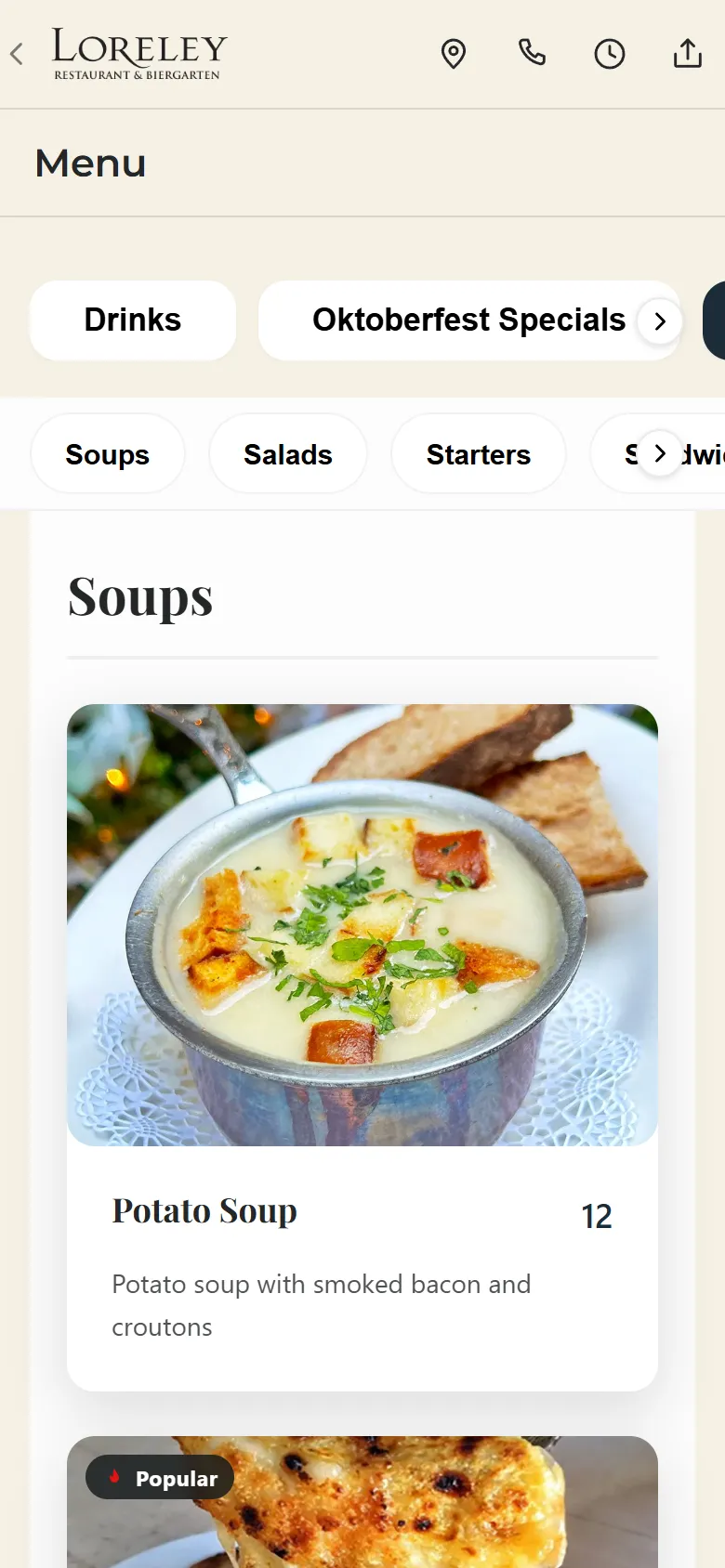
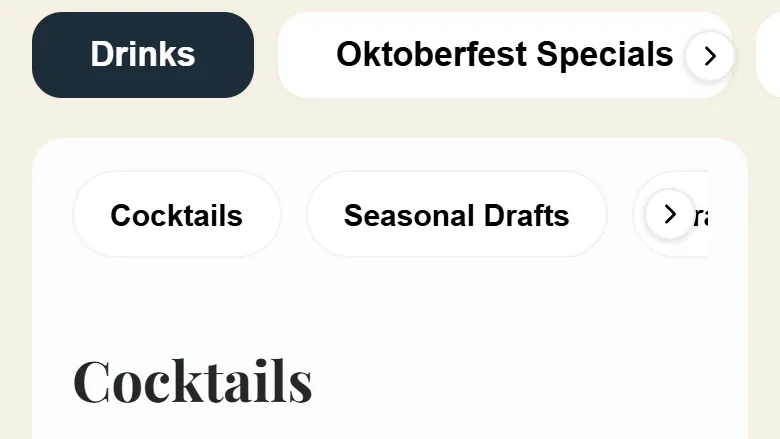
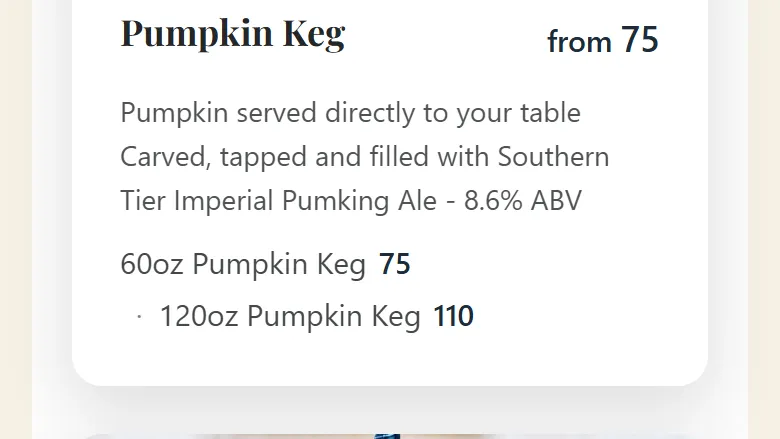
Two screens from a Tableify menu at a New York restaurant, captured on a phone in October 2026, and one sample design with a made-up restaurant.
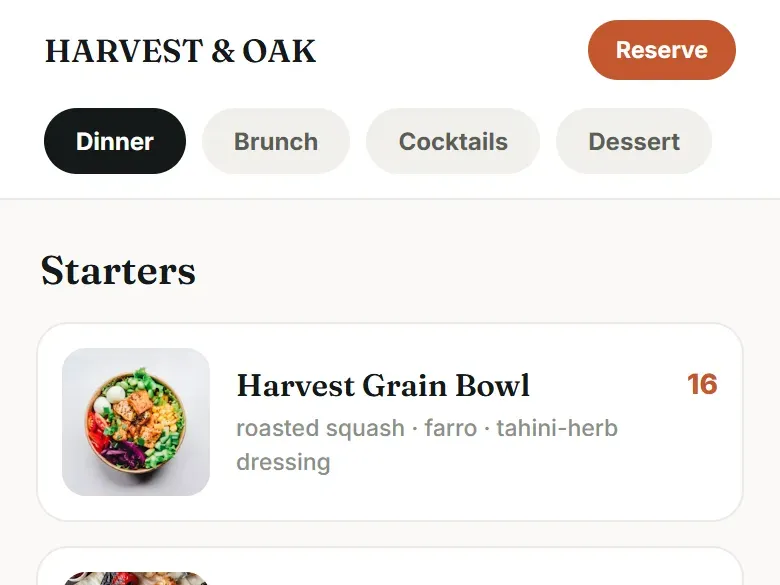
One list of dishes, read in five places.
You keep one list. Tableify carries it everywhere a guest might be reading your menu, and prints it too.
Your menu page
A tab per menu and pinned section buttons, every dish written out with its price.
Every embedded copy
The brunch menu on your events page or a drinks list on your party page, kept in step.
Your bio page
The menu button on your Smart Site opens the same dishes in the same look.
A page per dish
Each priced dish can get its own page with its photo, description and price.
Nora's answers
The AI event manager answers food questions from the same dishes.
A printable menu
A PDF in any of twelve looks, made from the same list, for events and the host stand.
Why a PDF menu ends up saying five different things
A menu that lives as a PDF rarely lives in only one place. There is the file linked from the website, an older one still sitting on a party page, a copy someone typed into the site builder two summers ago, the file a table code downloads, and whatever the staff remember when a planner calls about food. Change the burger price and you have to find every one of them, and it is easy to miss one.
Tableify Mobile Menus start from the other end. There is one list of dishes, and every place a guest reads your menu reads from that list. You change a price in one spot, press Publish once, and the places that carry your menu change together. No copy is left behind because there are no copies to keep, only views of the same list.
The list behind everything: one dish, many menus
Every dish lives once, in a shared pool, and can be placed on as many menus and sections as you like. The pretzel that appears on brunch, lunch and the bar menu is one dish, so its price, photo and description change once. Drag a dish to reorder it or move it between sections and menus. Duplicate a whole menu to start a seasonal one from last year's, then switch it on for the site when the season opens and off when it ends.
Edits are forgiving. A price saves the moment you leave the field, so a quick fix between lunch and dinner is a few seconds. A history keeps earlier versions of each dish, and you can restore one if a change was a mistake. Nothing you edit reaches guests until you press Publish, which means you can rework the whole fall menu on a quiet Monday and send it live together.
Place one: the menu page on your site
This is the page your website's menu link opens. Across the top sits a tab for each menu: Drinks, Brunch, Dinner, a seasonal list. Under it, a row of section buttons stays pinned while the guest scrolls and jumps straight to the section tapped. Each dish shows its name, price and description, with its photo when it has one. Photos arrive as the guest scrolls rather than all at once, in a lighter image format, so the first screen opens quickly on a weak signal.
Sizes appear the way you sell them: a glass and a bottle, a half and a whole, each with its own price, and the dish leads with a from price. The whole menu is written into the page itself as text, so it reads without waiting for any script to run. You choose which extra details each dish shows, and they appear only once you turn them on:
- Any of ten marks: vegan, vegetarian, gluten-free, dairy-free, spicy, contains nuts, chef's pick, locally sourced, organic and new.
- An allergen line, a Popular ribbon, and a sold out today flag shown grayed out or struck through.
- A serving window by days and hours, and a pairs well with line pointing to another dish.
Places two and three: embedded copies and your bio page
A menu often needs to appear somewhere besides the menu page. The brunch menu belongs on the brunch event page, and the drinks list belongs on the page for the party room. On a Tableify site those are embedded copies of the same menu, not pasted text, so when Publish runs they change with everything else. A planner reading the party page sees today's drinks prices, not the ones from the spring.
Your Smart Site, the bio page in your Instagram profile, puts the menu first. Its menu button opens the same dishes in the same look as the bio page, with a bar to get back and quick buttons for directions and calls. A guest who finds you from a post reads the menu you published this morning, which matters most on the days your specials change.
Type your restaurant's name. The free report shows how you come up on Google and in AI answers, next to the places near you.
Place four: a page for every priced dish
Each priced dish can also have a page of its own, with its photo, its description and its price. A guest who searches for one specific dish gets a page about exactly that dish, and a friend you text the link to sees the dish, not the top of a long menu. When your allergen notes say so, the dish page also tells search engines the dish is vegetarian, vegan or gluten-free.
Behind the text, every menu carries labels guests never see: this is the menu, this is a section, this is a dish, this is its price. Your homepage carries the same labels for the first 40 dishes of each section, and the restaurant's own record on the site points to the menu page. Nobody can promise a place in search results, and we never do. The labels just remove the guessing for the machines that read your menu. How to word the dishes themselves is covered in the menu SEO guide.
Place five: Nora answers from the same dishes
Planners ask about food long before they book. Is there a vegetarian option for a party of 30? Can we do a brunch spread? Is the pretzel big enough to share? Nora, the AI event manager, answers those questions by reading your menus, the ones switched on for the site, with each dish's name, price and description. She does not guess and she does not work from a file somebody uploaded last year.
Asked what is good, she picks a few standouts with their prices rather than reciting the whole menu, then asks what the planner wants to hear more about. Because she reads the same list as the menu page, a dish you retire stops coming up in her answers too. The party itself still goes to your team, through the private event desk with its inquiry form and pipeline.
The table code that never needs reprinting
A table code should open the menu page, never a file to download. Tableify gives each placement its own code, the patio, the bar, the window counter, and each one can be pointed somewhere new without reprinting a single tent. Send the patio code to the fall drinks list in October and back to the full menu in November; the printed tents stay on the tables the whole time. Our team designs those tents around your codes and your photos.
Each code counts its scans by day, and your placements are ranked against each other, so you can see which spots get used. A scan is counted once each time a phone opens the code, which is not the same as a head count. If you run ads, the walk-in tracking page explains how those scans reach your ad account.
Getting the PDF in, then retiring it
Nobody retypes 120 dishes. At setup, paste a link to your current menu, even just your homepage, and Tableify finds the menu or the file it links to. Or upload the PDFs, up to 30 pages each, or up to 20 photos of the printed menu. Menus, sections, dishes, descriptions and prices are read as written, and nothing is invented: no extra dishes, no guessed prices. Photos from your old site are copied over so they survive that site being switched off.
You see everything that was found, with a checkbox on each menu and dish, before any of it is added. Blank descriptions get a suggestion that never invents ingredients, and every word stays yours to edit. A file too hard to read goes to our team, who finish the menu for you. When you still want paper for the host stand or a private event, print it from the same list in any of twelve looks. The menu also sits inside the full Tableify Website, and the website checklist shows how it fits with everything else guests look for.
Count the copies of your menu you have right now.
A menu that has been online for a few years often has more copies than anyone remembers, and each was right the day it went up.
Files nobody tracks
The site links one PDF, a party page links an older one, and a table code downloads a third.
Prices that drift
A price change reaches the copy you remembered. The guest reads the one you forgot, and asks at the table.
Dishes locked in a file
A search engine or an assistant cannot quote a dish it cannot read, so a menu in a file rarely gets named.
Assistants quote menus they can read.
When a guest asks for a dish nearby, the answer names places whose dishes are written out with prices. A menu in a file leaves nothing to quote. The guide to AI answers covers the rest of what assistants look for.
- 1.The beer hall on Second AvenuePotato soup, rotating drafts, open from noon.
- 2.The pub by the courthouseSoup of the day and twelve taps.
- 3.The bistro on the squareFrench onion soup, a short beer list.
Questions about mobile menus
What is a mobile menu for a restaurant?
It is your menu published as a web page built for phones, with every dish written as text beside its price, description and photo. Guests open it from a table code, your website or your bio link, and it loads like any web page. Tableify Mobile Menus add one more thing: all of those places read from the same list of dishes, so they never disagree.
When I change a price, where does the change show up?
Change it once in the menu builder and press Publish. The change reaches your website's menu page, every embedded copy of the menu on your other pages, the menu behind your Smart Site button and the dish's own page. Nora reads the same dishes when a planner asks about food. A dish that sits on three menus is still one dish, so you only change it once.
Can you import my menu from a PDF or my old website?
Yes. At setup, paste a link to your current menu, upload PDFs of up to 30 pages each, or send up to 20 photos of the printed menu. Dishes, descriptions and prices are read as written, nothing is invented, and photos from your old site are copied over. You tick what to keep before anything is added, and our team finishes any file that is too hard to read.
Do I need new QR codes when the menu changes?
No. Each table code can be pointed at a new page any time, so a seasonal menu or a holiday list never means reprinting tents. Point the patio code at the fall drinks in October and back at the full menu later. The tents our team designs stay on the tables the whole time.
Can I still hand out a printed menu?
Yes. Print a PDF menu from the same list of dishes in any of twelve looks, for the host stand, a private event or a guest who prefers paper. Because it comes from the same list, the printed prices match the ones on your site. Print a fresh one whenever the list changes.
Do guests need an app to read the menu?
No. Any recent phone camera opens the table code, and the menu loads as an ordinary page in the phone's browser. There is nothing to download and no account to make. A guest who taps your bio link on Instagram gets the same menu in a few seconds.
Can the menu show allergens and dietary marks?
Yes, once you choose to show them. Each dish can carry an allergen line and any of ten marks, among them vegan, gluten-free, spicy and contains nuts, plus a Popular ribbon and a sold out today flag. Mark only what is true and check it whenever a recipe changes. Dish pages also tell search engines when a dish is vegetarian, vegan or gluten-free, based on your allergen notes.
Will my menu show up on Google?
It gives search engines what they need to read it: every dish is plain text in the page, labeled as a menu with sections, dishes and prices, and priced dishes can have pages of their own. Nobody can promise a position in the results. Point the menu link on your Google Business Profile at the menu page, never at a file. Ordering is its own product on the same dishes: online ordering with no commission.
One menu, everywhere at once.
See whether guests nearby can read your dishes on a phone and find them when they search or ask an assistant. Free, about a minute.