Comparison · 10 min read
Tableify vs Popmenu: a page for every room and party
Popmenu centers on menus, online ordering and marketing. Tableify builds what a party planner searches for: a page for each room you rent and each occasion you host.
The short answer
Popmenu is a restaurant website and marketing platform with plans listed at $179, $299 and $499 a month, plus a flat $1.00 fee per online order. Tableify is the alternative for a restaurant whose site has to sell private parties: a page for every room and every occasion planners search, each with its own inquiry form, at one flat price.
- A page for each room, with photos, capacity and a form.
- Pages for birthdays, office parties, showers and more.
- One flat monthly price, with no commission on events.
At a glance
- Popmenu plans, as listed on their site in October 2026
- $179, $299 and $499 / mo
- Popmenu online orders, per its pricing page
- A flat $1.00 per online order
- Popmenu reservations, per its pricing page
- Included on Premier, an add-on below it
- Tableify private rooms
- A page and inquiry form for each
- Tableify occasions
- Pages for the parties planners search
- Tableify pricing
- Flat monthly, no commissions
Side by side
Rooms, menus and pricing, row by row.
What each site includes for rooms, parties and menus, from each company's own pages, beside a general website builder.
| What the site does | Tableify | Popmenu | A general website builder |
|---|---|---|---|
| Private event pages and inquiries | Yes:Room pages with an inquiry form | Varies:An event calendar on every plan | Varies:A contact form |
| Pages for local searches | Yes:50 to 250 pages, by plan | Yes:SEO, AEO and GEO listed | No:Whatever you write yourself |
| Website made for restaurants | Yes:Built from your menu, rooms and photos | Yes:An SEO-driven website on every plan | No:You build and update it |
| Menu made for search | Yes:Photo menus for Google and AI | Yes:Interactive menu with dish reviews | Varies:Often a PDF or photo |
| Table reservations | Yes:On your site, no fee per cover | Varies:On Premier; an add-on on the others | No:A link to another app |
| How it is priced | Yes:Flat monthly, no commissions | Yes:Monthly plans, 10% off yearly | Varies:Low monthly, your time extra |
The Popmenu column reflects Popmenu's public information as of October 2026. Check Popmenu's own site for current plans, fees and terms.
The longer read
What Popmenu charges, from its own pricing page
Popmenu's pricing page lists three plans as of October 2026: Starter at $179 / mo, or $159 / mo prepaid annually; Essentials at $299 / mo, or $269 prepaid; and Premier at $499 / mo, or $449 prepaid. An annual plan locks in a 10% discount for 12 months, plans move up or down without penalties, and several locations are billed per location with tiered savings. Online ordering and AI phone answering are add-ons on every plan, reservations come with Premier and are an add-on below it, and each online order carries a flat $1.00 fee that the guest or the restaurant pays.
Billed monthly, that is $2,148 to $5,988 a year before add-ons and order fees. Tableify charges one flat monthly price instead, with no commission on private events, bookings or gift cards, and a short call gets you the figure for your restaurant. The rest of this page is about what that price builds for a restaurant whose private rooms matter as much as its menu.
Planners search for the occasion first
Nobody planning a 30th birthday types "events page" into a search box. They type the occasion and the place: a birthday dinner for 25 in the East Village, an office holiday party with a private bar, a baby shower brunch near the train. Then they open whichever page answers that exact question. A site with one events page and a contact form answers none of those searches well, however good its photography is.
The beer garden in our case study shows how lopsided the occasions can be. In September 2026, 140 of its 338 party inquiries were for birthdays and 26 were for corporate events, with a single wedding. The other 171 were filed under other occasions. When about two in five requests are birthdays, a birthday deserves a page of its own, written for the person planning one.
Everything a room page has to answer
A room page does the job a host does on a walkthrough. On a Tableify site each space you rent gets its own page on your Tableify website: real photos of the room, how many guests it holds seated and standing, what comes with it, such as a private bar, and the occasions it suits. A planner comparing four places can rule you in without writing to ask whether thirty people fit.
Every room page ends in an inquiry form that asks for the date, the time, the headcount, the room, how many hours, a budget and the occasion. The room list fills in from your own spaces, so nobody asks for a room you do not have. When the same planner writes twice, the second request joins the open lead instead of starting a new one, and your team opens each request already knowing the room and the reason for the party.
Guests say in reviews what a room page should say up front. One wrote on Google in March 2026 about a birthday in the beer garden's downstairs space: "We fit 45 people comfortably with a private bartender." A good room page puts that capacity and that bar where a planner sees them before writing, not after the visit.
Free · about a minute
How do guests find you today?
Type your restaurant's name. The free report shows how you come up on Google and in AI answers, next to the places near you.
Your report checks: rooms and occasions
FreeAbout a minuteNo card
Three rooms, three pages, one clear favorite
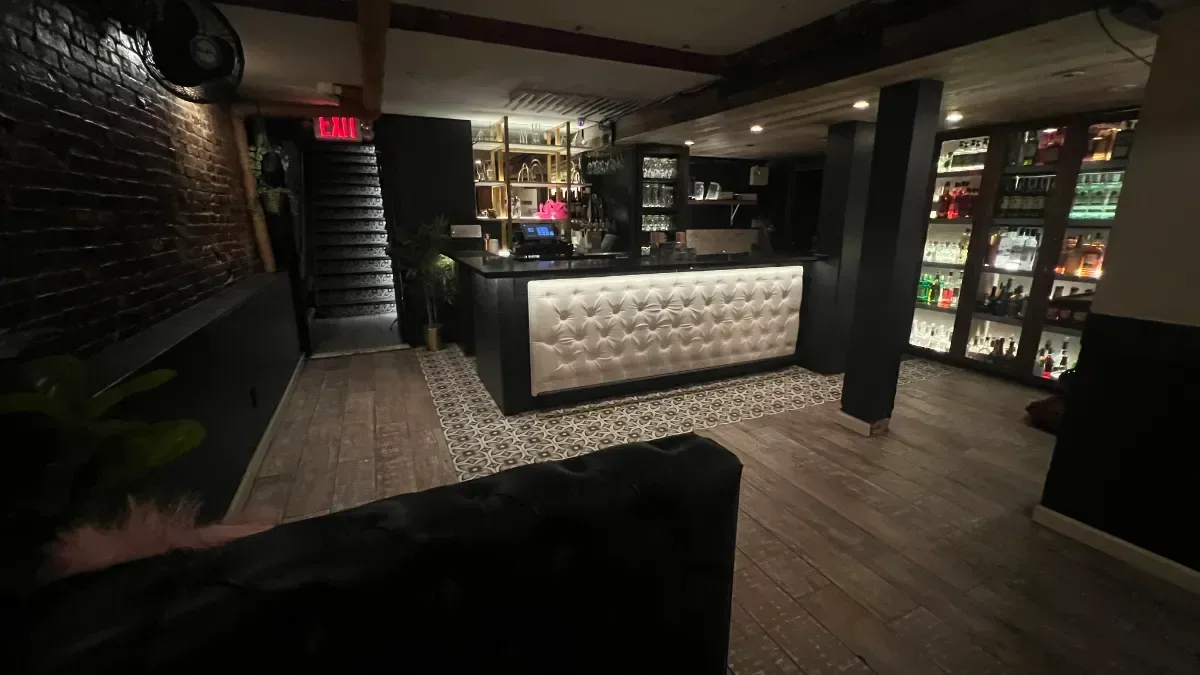
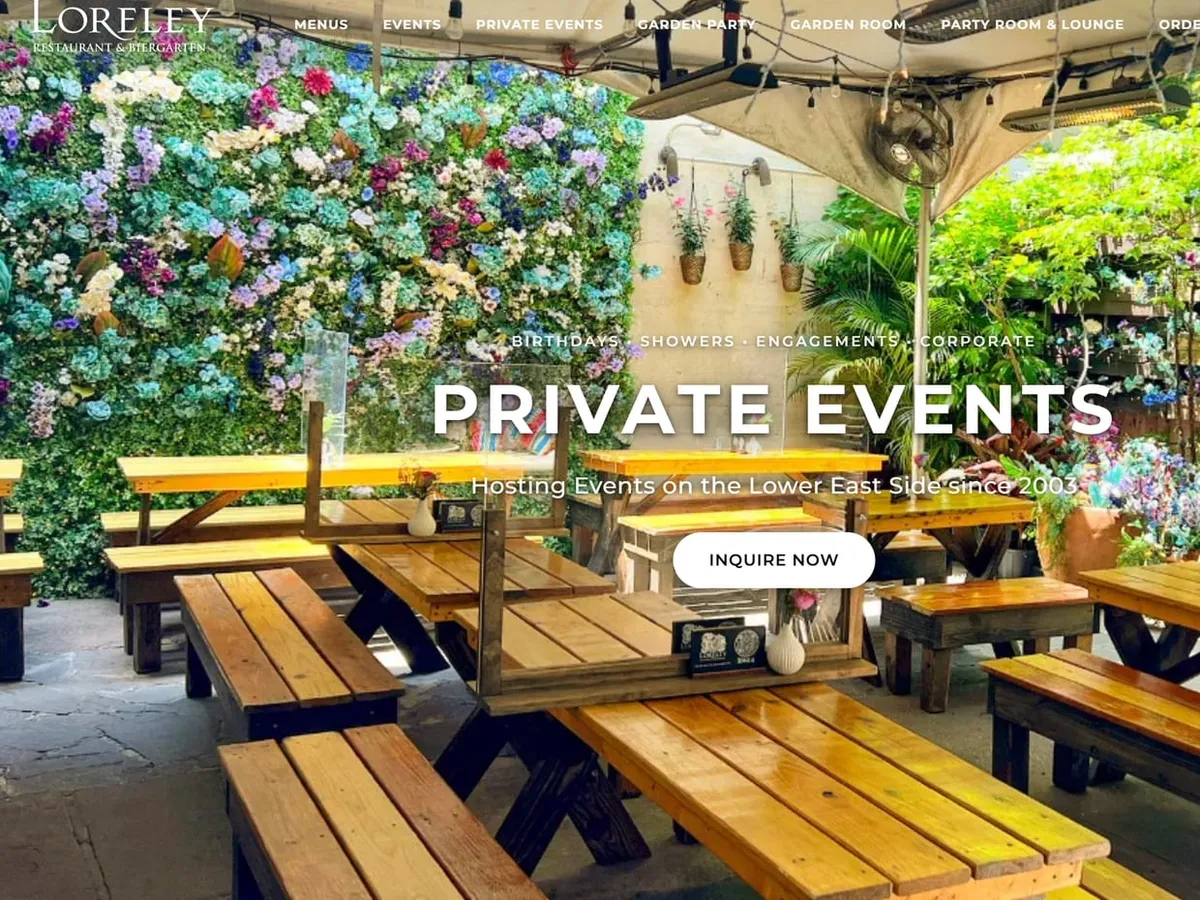
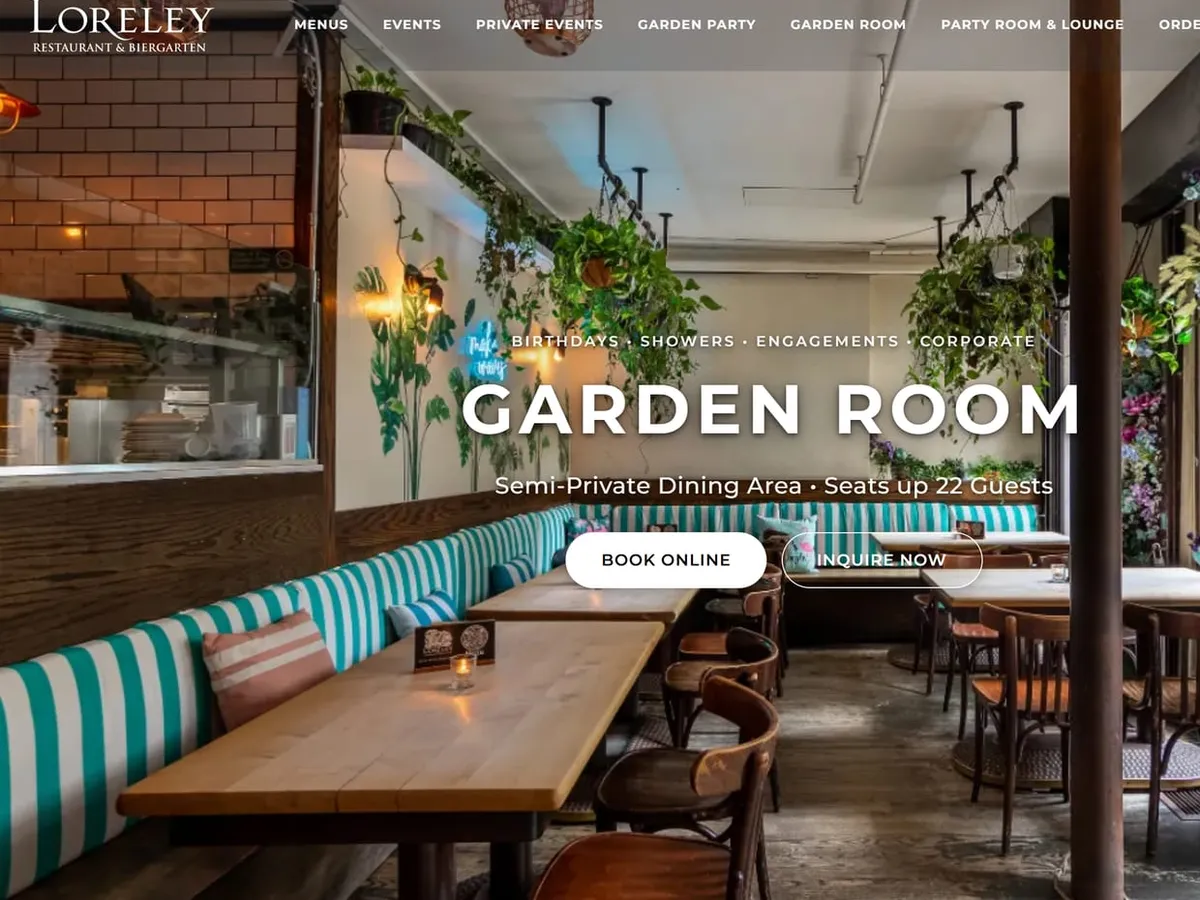
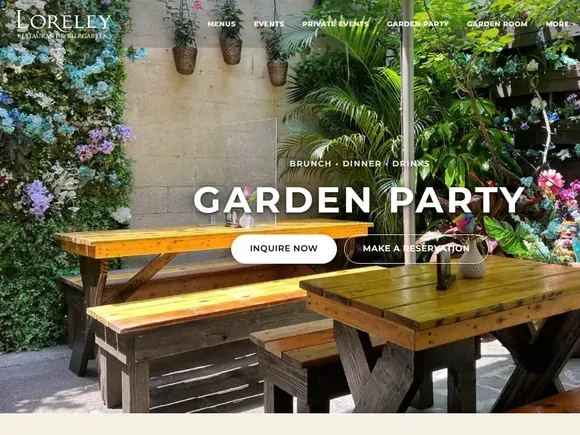
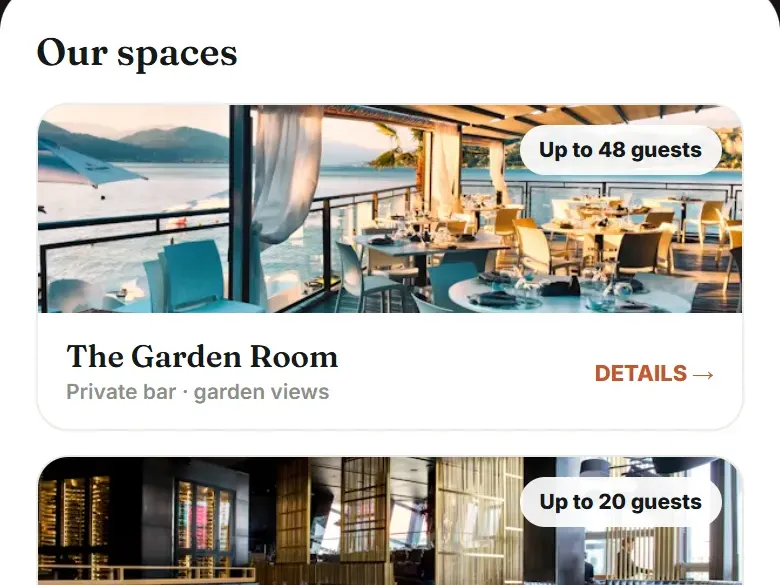
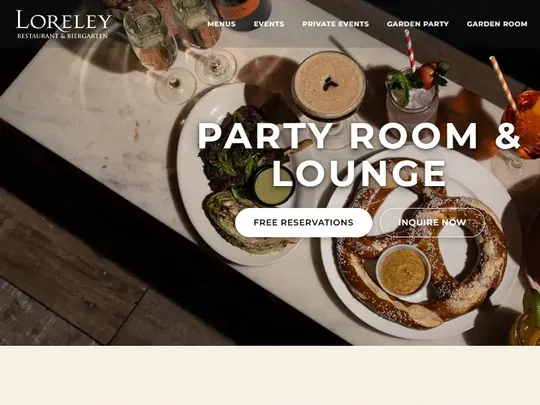
The beer garden in our case study rents three spaces, and each one has its own page on its Tableify site. The Party Room & Lounge holds up to 65 guests standing, with a private bar and lounge seating. The Garden Party area seats up to 24 at long picnic tables in the beer garden, which is decorated for each season. The Garden Room, an indoor semi-private room with striped banquettes, seats up to 22.
In September 2026 the beer garden booked 83 parties. Of those, 52 chose the Party Room & Lounge, 18 the Garden Party and 4 the Garden Room; 3 took the Lounge Exclusive, 1 a free table, and 5 had no room set. A restaurant only learns a split like that when every booking is filed against a room, and it tells you which page deserves the best photos and the clearest words.
The smaller rooms earn their pages too. A party of 18 would rattle around a lounge built for 65, and the Garden Room page is written for exactly that planner. Stating its 22 seats in the first screen keeps a small group from assuming the place is too big for them and booking somewhere else.
Pages for birthdays, office parties and showers
Rooms are half of the map; occasions are the other half. Tableify writes local search pages around the parties people plan, such as a birthday page, an office party page or a shower page, each about your neighborhood and the rooms that suit that party, and each with a way to inquire. The beer garden's private events page names its occasions in one line, birthdays, showers, engagements and corporate, before it sends planners on to a room.
An occasion page answers questions a room page cannot. How far ahead should an office party book? Is there a set menu for thirty? Can a birthday group bring its own cake? Your answers, written once, sit on the page where search engines and AI assistants can read them. The restaurant SEO guide covers how pages like these get found, and the guide to AI answers covers why an assistant names one place over another.
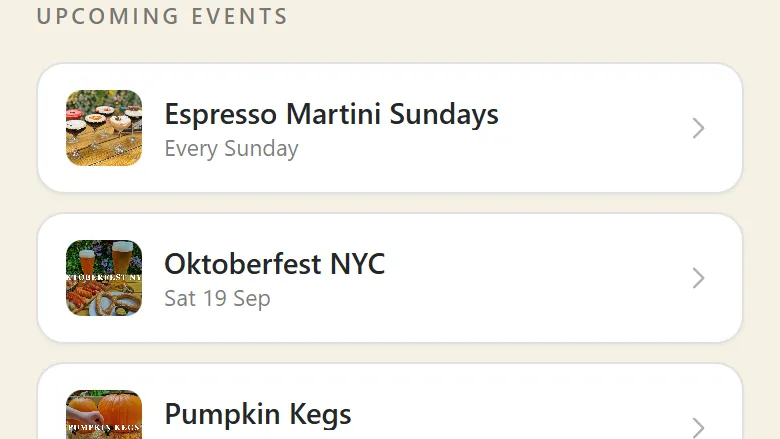
Seasonal events get the same treatment, each with a page of its own for its dates and details. On the beer garden's Smart Site, the link page in its Instagram profile, an event button opens that page in the same look.
What happens after a planner taps Inquire
A room page is the front door, and the rest of the house is covered on other pages. Every request lands in one Tableify CRM pipeline with its date, headcount and room. Nora, the AI event manager, answers questions on your website chat and social messages with the rooms that fit and each room's own link. Invoices, agreements and deposit links sit with the private event software.
What matters for this comparison is the thread between page and lead. Because the form's room list comes from your own rooms, each request arrives tied to a space, so a month's bookings can be counted room by room, as the beer garden's were. A form that collects only a name and a message cannot tell you which room is pulling its weight.
Building your room pages when you switch
Moving from a site built around the menu to one built around your rooms starts with what you already have. Our team builds the new site from your current one, your menus, your photos and your rooms, and brings open party inquiries into the pipeline so nobody keeps a second list. You review every page, ask for changes in plain words, then approve four things before launch: the booking rules, the words and photos, the address, phones and hours, and the menu with its prices.
Setup takes two to four weeks. Your domain stays yours and moves over only on launch day, and the plan runs month to month after that. The website checklist covers what to test that day, and the guide to website costs helps you weigh a site whose rooms earn their keep. Before the build starts, gather this:
- Photos of each room, empty and set for a party, taken from the door and from the far corner.
- Seated and standing capacity for every space, and what comes with it, such as a bar or a screen.
- The minimums, deposits and per-person prices you are happy to publish, and the ones you would rather quote.
- The occasions you host most often, and the room that suits each one best.
- The address of your old events page, so it can point at the new room pages on launch day.
Chart · from the case study
140 of 338 party inquiries at one beer garden in September 2026 were for birthdays.
The record month's private event inquiries, by the occasion each one was filed under.
See the numbers
The numbers
| Occasion | Inquiries, September 2026 |
|---|---|
| Birthdays | 140 |
| Corporate | 26 |
| Weddings | 1 |
| Every other occasion | 171 |
| Total | 338 |
Room pages and event pages from one beer garden
Pages from the Tableify site of the beer garden in our case study, plus a sample events page built the same way.

Case study · Loreley Beer Garden, New York
Three room pages, and one room booked 52 parties in a month.
3private room pages
52 of 83September parties in one room
140birthday inquiries in September
Questions about Popmenu and room pages
How much does Popmenu cost per month?
Popmenu's pricing page listed three plans in October 2026: Starter at $179 / mo, Essentials at $299 / mo and Premier at $499 / mo, or $159, $269 and $449 a month when prepaid for a year. Each online order adds a flat $1.00 fee. Tableify charges one flat monthly price, with no commission on private events, bookings or gift cards. Private events come with the full website plans, Nora included, so room pages are not an add-on. A short call gets you the exact figure for your restaurant.
Does Popmenu take a percentage of online orders?
No, according to its pricing page. It charges a flat $1.00 per online order, which the guest pays at checkout or the restaurant absorbs. Tableify takes no percentage either, and adds no charge per party you book. Event deposits and balances are paid straight into your own payment account.
Does Popmenu include reservations?
On its Premier plan, yes: Popmenu's pricing page lists a digital waitlist and reservations as included there. On Starter and Essentials, reservations with capacity management are an add-on. Tableify puts a booking box on your own site, and a room page can carry a booking button beside its inquiry button. The reservation system page covers how tables work.
What are the best Popmenu alternatives?
The best alternative depends on what your website has to sell. If private rooms and parties are a big share of your sales, Tableify is built for that job. It gives you a page for each room, pages for the occasions planners search and an inquiry form on every one. Every request then lands in one list, from first message to deposit, with no commission on events. The private event software page shows the party side end to end.
What should a private room page include?
Real photos of the room, its capacity seated and standing, what comes with it and the occasions it suits. It should answer the questions planners ask most, including any minimums or deposits you are happy to publish. Most of all, it needs an inquiry form that asks for the date, time, headcount, room, hours, budget and occasion. On Tableify the room list in that form fills in from your own spaces. A planner who reads the page should know whether to write before writing.
Should birthdays and office parties get their own pages?
Yes, if you host them. People search by occasion, and a page written for a birthday answers a birthday planner better than a general events page does. At the beer garden in our case study, birthdays led September 2026 with 140 of 338 party inquiries, and corporate events made up 26. Tableify writes those occasion pages for you, each tied to the rooms that suit the party and each with its own way to inquire.
How long does it take to get room pages live?
Two to four weeks for the whole site, room pages included. Our team builds it from your current site, menus, photos and rooms, so you are not writing from a blank page. You see every page and approve it before launch. Your domain moves over only on launch day, and the plan is month to month after that.
Give every room a page.
See what a planner finds when they search for a private room or a birthday spot near you. Free, about a minute.
Rather talk it through? Book a quick call