Get your restaurant recommended by AI
An assistant can only repeat what someone wrote down plainly. Write your rooms, sizes, occasions and menu as sentences it can quote.
No one can make an AI assistant recommend your restaurant, and anyone who promises it is guessing. What you control is whether your facts can be quoted: each room on its own page with its capacity, the occasions you host in plain words, the menu as text, and the same facts on your Google listing as on your site.
- Nobody can guarantee what an assistant says.
- One plain sentence per fact is easiest to repeat.
- Ask the assistants yourself, then check again monthly.
- Can anyone guarantee a mention
- No
- What assistants read best
- Plain sentences under clear headings
- Pages to add
- One per room and occasion
- Say for every room
- Its name, seated and standing capacity
- Google's own AI features need
- No special steps beyond good SEO
The free report reads your website the way AI assistants do and shows the plain text they can and cannot find about you.
- 1.The brasserie on Grand Avenue
- 2.The wine bar by the courthouse
- 3.The hotel restaurant downtown
Ask the assistants what they say now
Open two or three AI assistants and ask what your guests ask: a quiet table for a business dinner, a private room for 20, brunch for a group. Put your neighborhood in the question, the way a guest would.
Write down who gets named and what is said about each place. Then read the lines closely: each one is a fact some page stated plainly. That is the kind of sentence your own pages need.
- 1.The steakhouse on Grand AvenueBooths, a quiet back room and a full wine list.
- 2.The Italian place by the courthouseTakes reservations for groups, closes at ten.
- 3.The hotel restaurant downtownPrivate corner tables, open every night.
Give every room a page and a number
One events page with a gallery answers no planner well. Give each room you rent its own page, and put its name and its size in the first lines: seated, standing, or both. A planner with 20 guests can rule a room in when its page says 22.
Add what comes with the room, such as a private bar, and how to ask about a date. Tableify builds these pages from your rooms and photos.
Name the occasions in guests' words
Planners rarely ask for a restaurant. They ask for an occasion: a birthday for 30, a happy hour after work, a baby shower brunch, a rehearsal dinner. Write a page, or at least a clear section, for each occasion you host often, and use the words guests use.
Say which room fits which size, what a typical menu looks like and how far ahead to book.
Put the menu on the page as text
Assistants read words. A menu that exists only as a PDF, or as a photo of the printed card, is hard to read and harder to quote. Put each dish on the page with its description and price, under a heading for each section.
Do the same for the facts around the menu: hours, dietary options, whether the kitchen takes large groups.
Make every listing say the same
An assistant cross-checks what it reads. Keep your Google listing complete, with the same name, address, phone, hours and room facts as your site, and fix any directory that disagrees.
Then check again each month. Ask the same questions, note whether you were named and whether the facts were right, and fix one thing.
How an assistant puts a restaurant answer together
When a guest asks an AI assistant for a place to eat, the assistant does not open a map and browse. Depending on the assistant and the question, it searches the web in the moment, draws on what it read earlier, or both. It then writes a short answer naming two or three places, with a line about each, and the guest often stops there.
Every one of those lines is borrowed. It comes from something written about the place: its own pages, its listings, reviews, articles and directories. If those sources state facts plainly and agree with each other, the assistant has something solid to repeat. If the facts sit inside pictures and files, or the sources disagree, it may leave you out or describe you wrongly.
A sentence an assistant can quote, and one it cannot
Compare two lines from two imaginary event pages. The first says: plenty of room for your next celebration. The second says: the Garden Room is a semi-private indoor room that seats up to 22 guests. The first cannot be repeated at all, because it says nothing a guest could check. The second can be repeated word for word, and it answers the question a planner with 18 friends is asking.
Write facts with names, numbers and places. One fact per sentence is easier to lift than three facts in a long one. Name the street, the nearest subway stop or highway exit, and the landmark a visitor would use. Say whether there is a minimum, which nights you take groups and what the kitchen can do for dietary needs.
Seated, standing and the largest party you take
Capacity is the fact planners filter on first, and it is the one most often left vague. Give each room both numbers if both apply: how many sit down to dinner and how many stand at a reception. Say which number applies to which kind of party. A room that seats 22 and holds 35 standing is two different answers for two different planners.
Then state the edges: the smallest group you will book into a private room, the largest party the whole place can take, and whether rooms can be combined. A planner whose group is just over a room's number will ask an assistant for a bigger room, unless your page says the room next door opens up.
What an assistant can and cannot read on your site
Most restaurant sites hide their best facts in places a reader of words struggles with. Walk through your own site with this list in hand:
- Readable: text on the page, headings, lists, dishes written out with prices, short answers to common questions.
- Hard to read: a menu that only exists as a PDF, scanned or designed, or as a photo of the printed menu.
- Often missed: hours or capacity written inside a banner image, a slideshow or an embedded social post.
- Often missed: facts that only appear after a click, inside a pop-up, or inside a booking box from another company.
- Missing entirely: anything that only lives on a chalkboard by the door or in a manager's head.
Type your restaurant's name. The free report shows how you come up on Google and in AI answers, next to the places near you.
Occasions are the questions planners ask
Planners describe the party, not the venue: a birthday for 40, a team happy hour, a bachelorette night, a shower. A page about birthdays for 20 to 50 guests matches that question far better than a page called Events. Say what you offer for the occasion, which room fits which size, what a typical menu costs and how to hold a date, and end with an inquiry form for each room.
Your guests have already written the occasion words for you. Read your reviews and your inquiry notes for the phrases that repeat, and use them as headings. When every request lands in one place, like the restaurant CRM, that list takes minutes to pull.
Make the rest of the web agree with you
If your website says the patio is heated, your listing says nothing and a directory has you closed on Mondays when you now open, the assistant has to choose, and it may choose wrong. Keep one master list of your facts and copy from it everywhere: the website, the Google listing, the directories you appear in, your social profiles.
The facts you give your own staff should match too. If guests can ask questions in a chat on your site, the answers should come from the same list. Nora, Tableify's event manager, answers from the rooms, capacities and menus the restaurant has entered, so the chat and the pages tell a planner the same thing. The restaurant SEO guide covers the wider listing and review work.
What Google says about its own AI answers
Google's documentation for its AI features is plain: there are no extra requirements and no special optimization for them beyond the basics of search. A page has to be indexed and eligible to show with a snippet, important content should be in text, and any structured data has to match what the visible page says. No special file for AI is needed.
That turns the work into something an owner can do: write the facts down, in words, on pages that load. The menu SEO guide covers the dish searches, and a menu built as text keeps the dishes readable the day they change.
What not to do, however tempting
Some shortcuts sold as AI optimization do harm. Do not hide text that guests cannot see, do not write answers about rooms or services you do not have, and do not post or buy reviews of your own place. Do not make a page for every nearby town with the name swapped; Google treats pages like that as spam. And be wary of anyone who sells guaranteed placement in AI answers, because no one controls what an assistant says.
The honest route is slower and it lasts: true facts, plainly written, on your own site and everywhere else. If you want the pages built for you, the restaurant website builder can include a page for each room and occasion, and the free Tableify report shows what an assistant can read about you today.
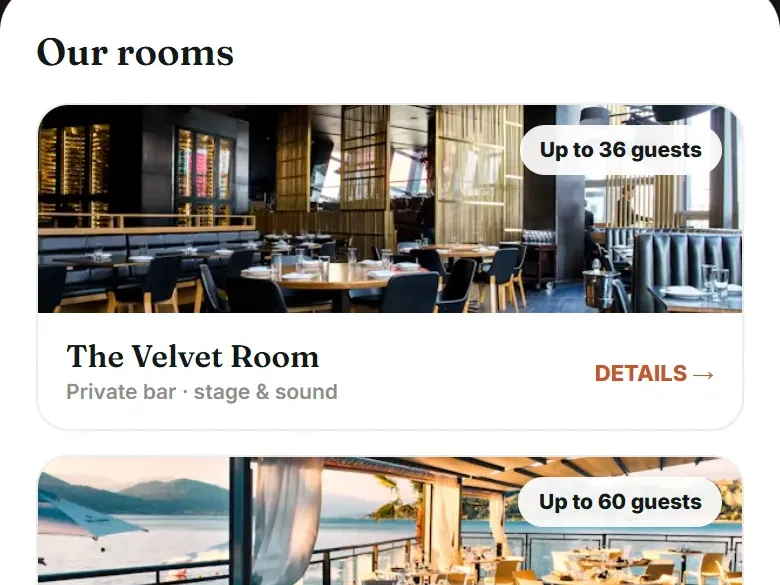
Three rooms, each stated in one line an assistant can repeat.
Loreley Beer Garden on New York's Lower East Side rents its spaces by name, and each one has a page of its own. These are the facts those pages stand on, from the Loreley case study.
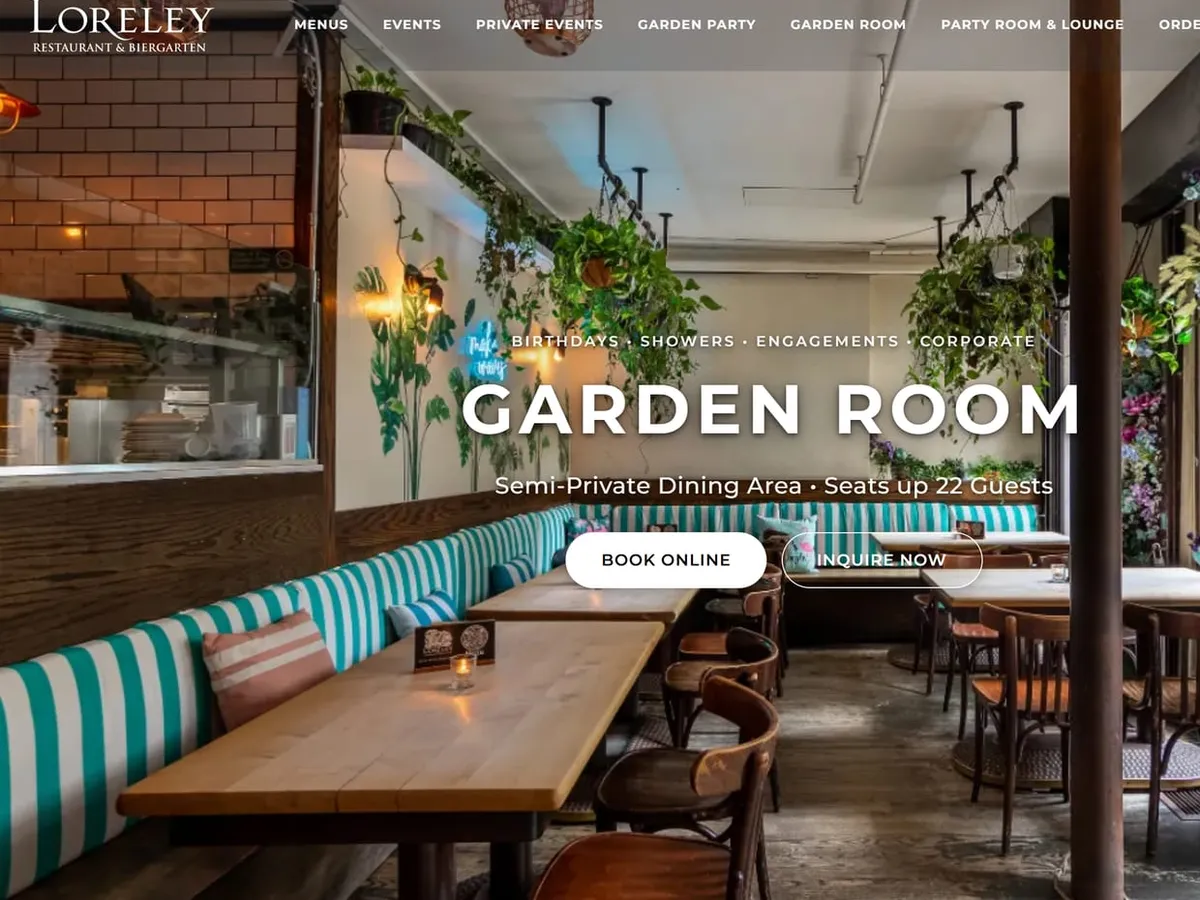
A semi-private indoor room. Its page says so on the first screen, with Book online and Inquire now beside it.
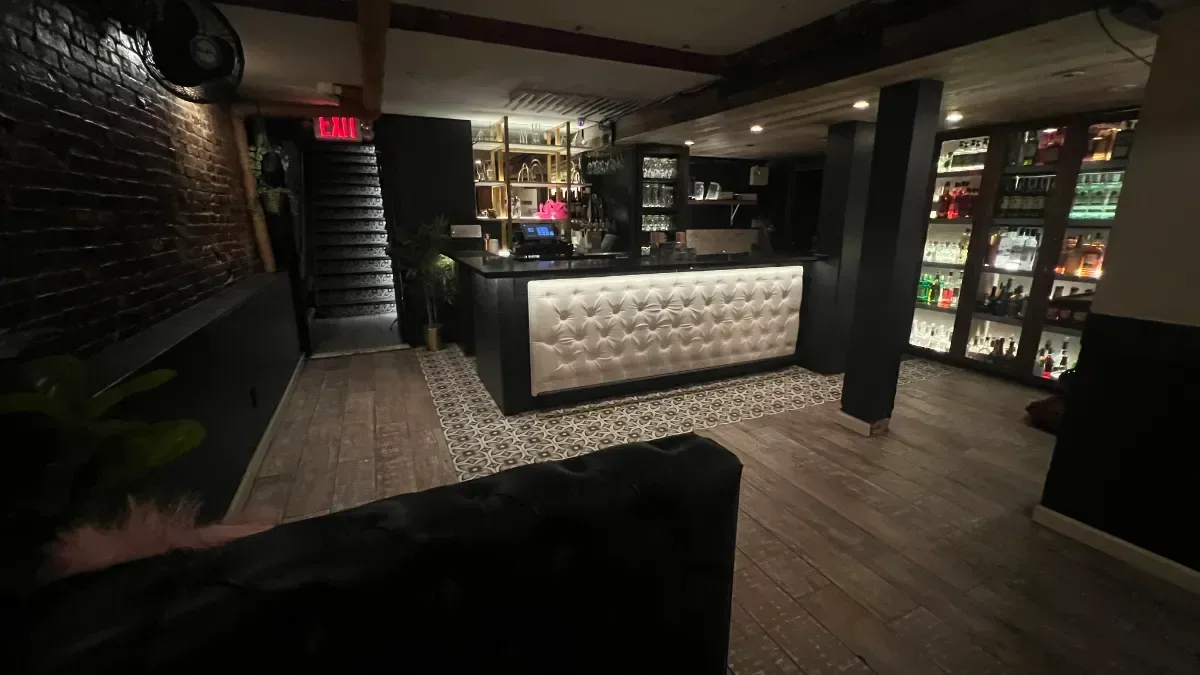
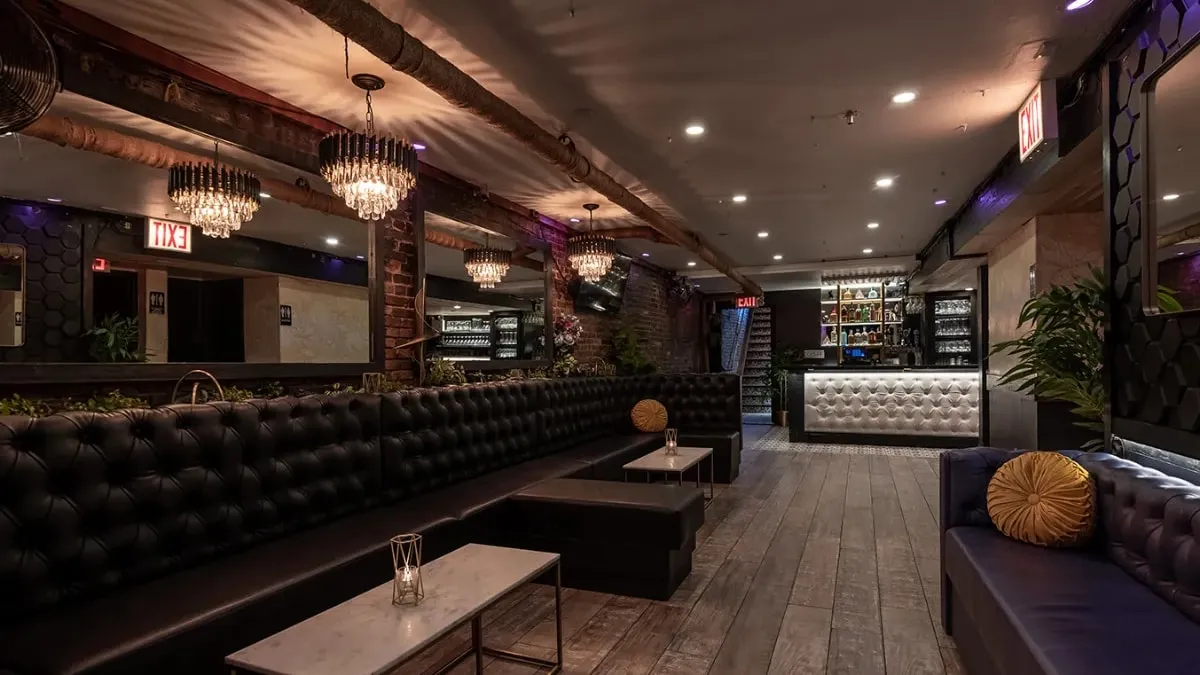
Lounge seating and a private bar, with its number given for a standing party.
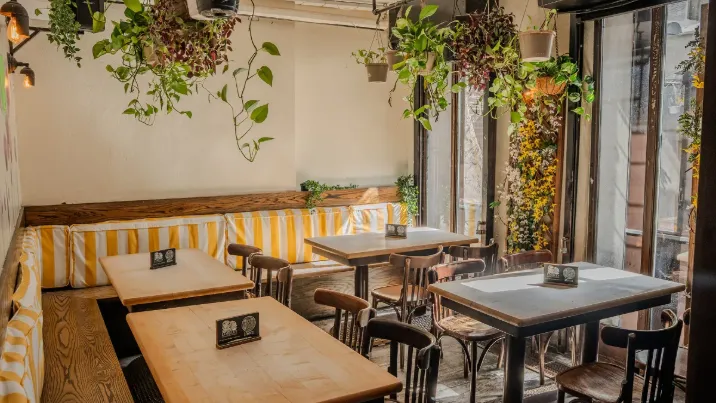
Long picnic tables in the beer garden, dressed for each season. A seated number for a seated party.
“The Party Room / Lounge at Loreley was the perfect place for me to get my friends together for my birthday! … The space was great - nicely decorated and easy to navigate … It was so much fun and would highly recommend to anyone looking into hosting an event for a big group!”Guest at Loreley Beer Garden, Google review, April 2025
Room pages that state their size
A room's name and its number, on the first screen, in words. One live page, one room, and a sample from a Tableify demo.
Questions about AI answers
Can anyone guarantee my restaurant gets recommended by AI?
No. Assistants decide their own answers, and the same question can get a different answer tomorrow. Be wary of anyone who promises a spot, because nobody controls what an assistant says. What you can control is how easy your facts are to read and repeat, on your own site and everywhere else.
What is AI search optimization for a restaurant?
It means making your restaurant's facts easy for AI assistants to read and repeat. In practice it is the same work as good restaurant SEO, and Google says its own AI features need no special optimization beyond that. The difference is the shape of the answer: a few places named in a few sentences instead of a page of links. So every important fact needs to stand on its own as a sentence.
Do I need a separate page for each private room?
If you rent more than one room, yes, it helps. A planner asks for a room for a number of guests, and a page per room can answer that one question completely, with the name, the capacity, photos and an inquiry form. One shared page leaves the assistant to guess which room fits. Even a short page per room beats a long page for all of them.
Should I list seated or standing capacity?
List both when both apply, and say which kind of party each number is for. A sit-down dinner and a cocktail reception use the same room very differently. If a room is only used one way, give that number and name it: seats 22, or up to 65 standing. A bare number with no word beside it is easy to misread.
Can an AI assistant read my PDF menu?
Sometimes, and not reliably. A PDF made from typed text may be read; a scanned or designed one, or a photo of the printed menu, often is not. Even when it is read, a file is harder to quote than dishes written on the page. Keep the PDF for printing and put the same menu on your site as text.
Why does an AI assistant get my hours or details wrong?
Usually because the sources disagree or are out of date. An old directory listing, holiday hours never removed or a capacity that changed after a renovation can all be repeated back. Find every place your facts appear, correct the ones that are wrong and keep them matching your website.
How do I know if AI assistants mention my restaurant?
Ask them the way a guest would, with your neighborhood in the question, and write down the answers each month. Note whether you were named and whether the facts about you were right. The free report also shows what an assistant can and cannot read about you today, and asks one the questions party planners ask. The restaurant website checklist covers what the pages themselves need.
See what an assistant reads.
What an AI assistant can and cannot read about your restaurant today, in about a minute, with nothing to install.