Comparison · 10 min read
Tableify vs Resy: a Resy alternative that builds your site
Resy fills tables. Tableify also builds the website behind them: menus written as text, pages for the searches guests make, a link-in-bio page and booking on your own domain.
The short answer
Resy is not free for restaurants: its pricing page lists plans from $289 a month, and a website is not among the tools it lists. Tableify starts at $249 a month and builds the site a table app leaves out: menus written as text, pages for the searches guests make, a bio page for Instagram and booking.
- From $249/mo, with no commission and no fee per cover.
- Every dish written out, readable by guests, search engines and AI.
- Pages for the searches people make near your restaurant.
At a glance
- Resy plans, as listed on their site in October 2026
- $289 or $459 /month
- Resy prepayment fees, per its pricing page
- 2% or 3% on two plans, plus processing
- Tableify pricing
- From $249/mo, no commissions, month to month
- Tableify website and menus
- Built for you, every dish as text
- Search pages on our case study's site
- 122, with 80 for private events
What a guest sees when they look you up
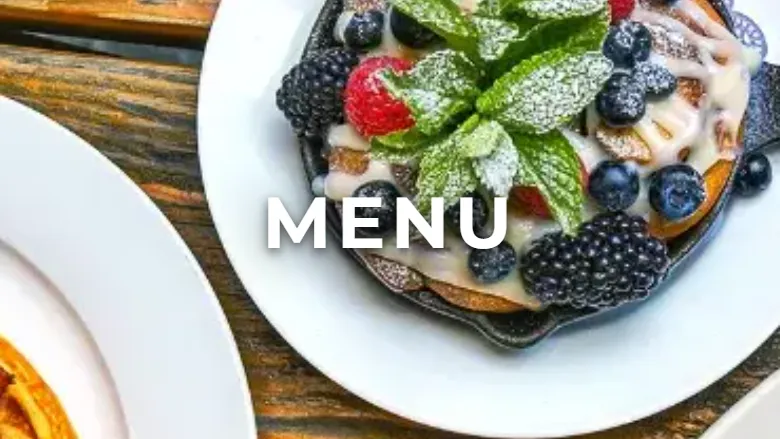
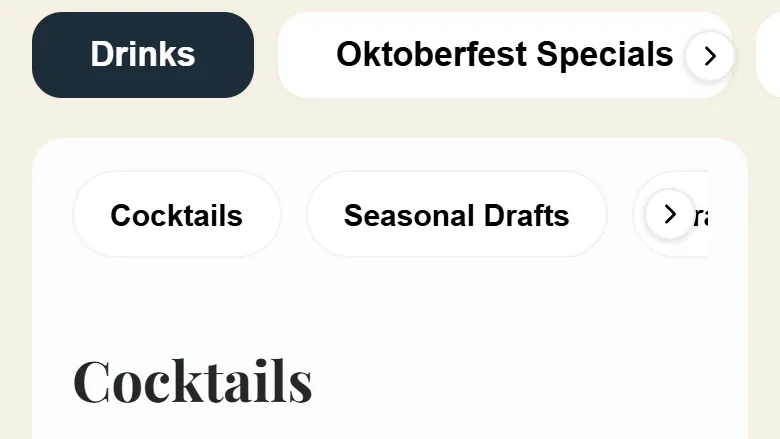
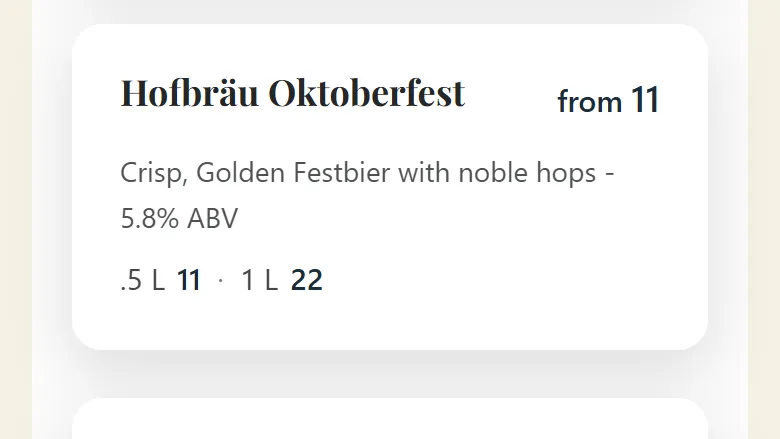
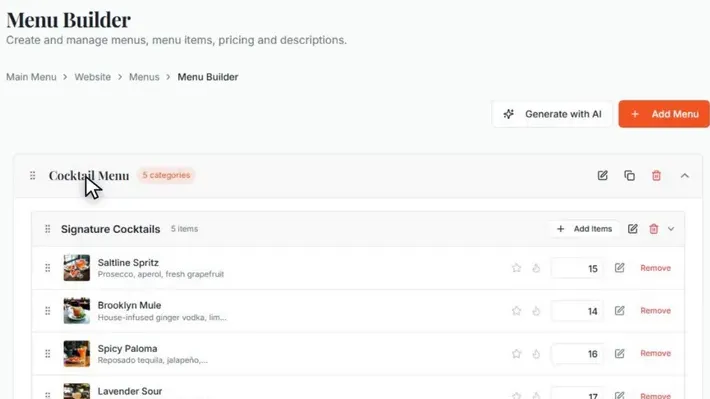
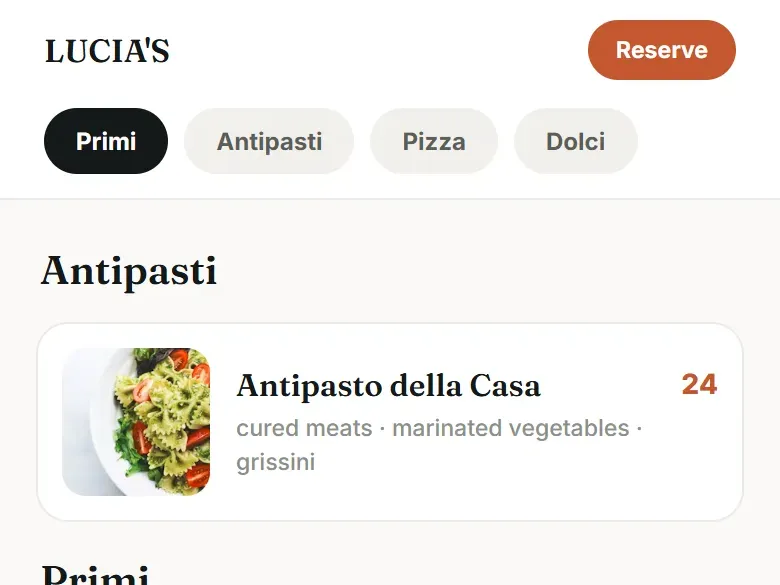
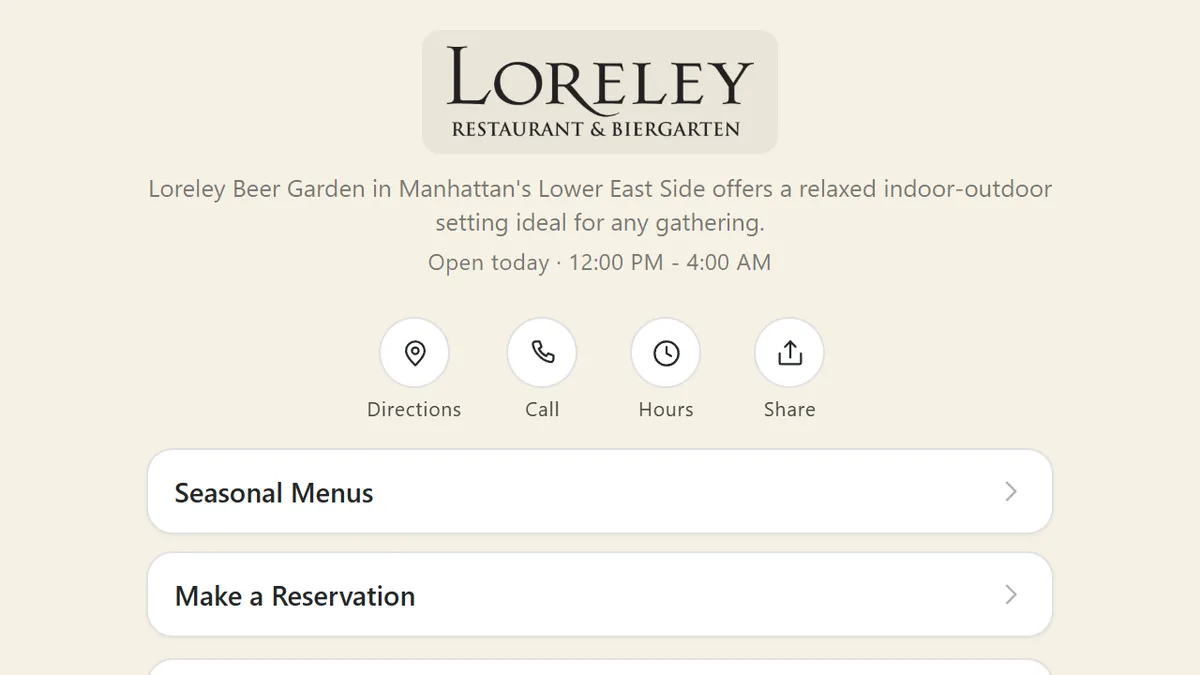
The menu and bio page of the beer garden in our case study, captured on a phone and a computer in October 2026, beside the menu editor and a sample menu.
The longer read
What Resy covers, in its own words
Resy's pricing page lists four restaurant plans as of October 2026, two at $289 /month and two at $459 /month. One of the $289 plans adds a 3% fee on prepayments, one of the $459 plans adds 2%, and standard payment processing applies on top. Resy says it charges nothing per reservation, and it counts more than 60 million registered users on its dining app.
When Resy sums up what its platform brings together, the list reads reservations, guest management, operational tools and performance insights. Nothing on it builds the restaurant's own website, writes the menu out so search engines can read it or gives the restaurant a page for the link in its Instagram profile. A table app is built to fill tables, and that is a different job. Someone still has to do the other one, and at most restaurants we meet it falls to an old site that nobody on the team knows how to change.
Most guests meet you before they meet your booking app
Think about the order things happen in. Someone types a dish, a neighborhood or an occasion into a search bar, or asks an AI assistant where to go on Friday. A handful of names come back. They open two or three, read a menu, check the hours, look at a photo of the room. Only then do they pick a time, so the booking screen is the last step, and by the time a guest reaches it the choice is mostly made.
Search engines and assistants can only recommend what they can read. They answer from words on a page: dishes and prices, opening hours, the street you are on, what the back room holds. A homepage that is one big photo, a menu that is a scanned PDF and hours that live inside an image leave them very little to repeat. The guide to showing up in AI answers walks through what assistants look for, and the restaurant SEO guide covers the search side.
A listing inside a booking app reaches diners who already use that app. Your own site is the one place you control for everybody else, which is why Tableify starts there.
A menu written out, dish by dish
On a Tableify site the menu is a page of text, not a file to download. Each menu gets its own tab, say Drinks, Brunch, Dinner or a seasonal list, and the section buttons stay at the top of the screen as the guest scrolls, so Starters or Seasonal Drafts is a single tap away. Every dish shows its name, price and a short description, with a photo when you have one. Photos come in as the guest moves down the page, in a lighter format, so the first screen opens fast even on a weak signal.
The details are yours to choose. A beer can list a half liter and a liter at two prices. A dish can carry marks such as vegan, gluten-free or spicy, an allergen line, a Popular ribbon or a Sold out today flag, and a serving window for a weekend-only plate. The words are part of the page from the moment it loads, and labels tell search engines which line is a dish and which is its price. Each priced dish can also have a page of its own.
Nobody retypes anything to begin. At setup, paste a link to your current menu, upload PDFs of up to 30 pages each or send up to 20 photos of the printed one. Dishes, descriptions and prices are read as written, nothing is invented and you tick what to keep. From then on, change a price once and press Publish: the website menu, every embedded copy and the dish pages all follow. Tableify Mobile Menus covers the rest, and the menu SEO guide covers wording dishes the way people search for them.
Free · about a minute
How do guests find you today?
Type your restaurant's name. The free report shows how you come up on Google and in AI answers, next to the places near you.
Your report checks: menus and search
FreeAbout a minuteNo card
Pages for the searches guests actually make
One homepage cannot answer every question people type. Someone hunting for a beer garden near a stadium, a visitor looking for an Oktoberfest celebration in town, a local who wants a heated patio in November: each is a separate search, and each is better served by a page that answers it directly. Tableify writes those pages for you from your real menu, events, spaces and neighborhood, and adds them to your site beside the menu and booking.
Every page is built ahead when you publish and arrives finished, on a secure address at your own domain. Each one is labeled for search engines with your hours, your spot on the map, menu items with their prices, events and common questions, and the site hands search engines a full list of its pages so new ones are found. Nobody honest can promise where a page will rank. What these pages do is give search engines and AI assistants specific answers to quote instead of guesses.
The beer garden in our case study has 122 of these pages, 80 of them written for private events and groups, alongside 3 private room pages and 11 pages for its seasonal festivals. How the room pages sell a space is covered on the private event software page.
The page behind your Instagram link
Plenty of guests never type your name into a search bar at all. They see a post, tap the link in your profile and decide within seconds. Tableify gives you a Smart Site for that moment: one page at your own domain followed by /bio, with today's hours, your address and your phone number a tap away, round buttons for directions and calls, and below them your menu, booking, rooms and upcoming events.
Its buttons point at the real things in your account rather than copies of them, so when a dish, a room or an event changes, the page changes with it and nobody edits it twice. Seasonal buttons appear and disappear on dates you set, and past events leave on their own. Each tap is sent to the Facebook, Instagram and Google accounts set up on your site along with where the visit began, so your ads learn who went on to open the menu or reach for a table.
The Smart Site stays out of search results on purpose. It is made for guests who already found you, so it never competes with your website for your own name.
Built for you, and easy to keep current
A website only helps while it is right. Tableify builds yours in two to four weeks from your real menu, rooms, photos and story, and puts it on your own domain. Nothing goes live until you approve four things: the booking rules, the words and photos, your address, phones and hours, and the menu with its prices. After launch the everyday edits are yours: the announcement bar for a holiday closing, the daily specials, a new dish, a price.
Tables can run on Tableify reservations with no fee per cover, or the Reserve button can point at the booking page you use now. Bookings made on an outside system are not traced back to the ad or page that sent the guest, so many owners start with the site and move tables over later. The Tableify Website page lays out everything that comes with the site.
One beer garden's site, from menu to bio link
Loreley Beer Garden in New York moved to a Tableify site on July 6, 2026. On a phone its menu opens on a Drinks tab of cocktails, seasonal drafts and draft beers, many poured by the half liter or the liter, next to an Oktoberfest specials tab and the food menus. A pumpkin keg sits on the seasonal list with two sizes at two prices, and the espresso martinis carry photos while most of the beers do not.
Around the menu sit the pages built for search: 122 in all, 80 of them for private events and groups, plus 11 for its seasonal festivals. Its Instagram profile links to loreleynyc.com/bio, a Smart Site that opens with today's hours and quick buttons, then its seasonal menus, a reservation button, its three rooms and upcoming events. One Publish keeps the menu the same on the website, the bio page and every dish page. The Loreley case study shows what was built and in what order.
Side by side
Tableify and Resy, row by row.
What each one covers, and how both compare with a restaurant that takes bookings by phone and keeps an old website.
| What you need | Tableify | Resy | Taking bookings by phone |
|---|---|---|---|
| Monthly price | Yes:From $249/mo, no commissions | Varies:From $289/mo, per its pricing page | Yes:Free, apart from staff time |
| Fee per cover | Yes:None, we never take a cut | Yes:None, per its pricing page | Yes:None |
| Your website and menus | Yes:Built, hosted and kept current | No:Not listed among its tools | No:A phone number online |
| Pages written for local searches | Yes:Written for you, labeled for search | No:Not listed among its tools | No:None |
| Private parties and events | Yes:Room pages with an inquiry form | Varies:Ticketed and invite-only events | Varies:Calls and callbacks |
| First reply to a party inquiry | Yes:In minutes, day or night | No:No inquiry reply listed among its tools | No:When someone calls back |
| Fees on prepayments | Yes:No cut; payments go to you | Varies:2% or 3% on some plans | No:Hard to collect |
| Who owns the guest list | Yes:You do, in Tableify CRM | Yes:You do, per its guest data page | Varies:Whoever keeps the book |
The Resy column reflects Resy's public information as of October 2026. Check resy.com for current plans, fees and terms.
Scorecard
Is your website pulling its weight?
Check every line that describes your restaurant right now. Nothing you tick leaves this page.
Your score
0 / 7
A solid site, ready to be found more often.
Even a well-kept site can be hard for an assistant to read. The free report shows what a guest sees when they ask about a place like yours.
Free · about a minute
See what search shows guests
Find out what Google and AI assistants say when a guest nearby asks for a place like yours, and whether your menu shows up.
Asked an AI assistant
“Beer garden near me with a seasonal menu?”
- 1.The taproom by the river
- 2.The German hall on the avenue
- 3.The rooftop bar downtown
Your restaurant?
Your report checks: menus and search
FreeAbout a minuteNo card
Questions about Resy and a restaurant website
Is Resy free for restaurants?
No. As of October 2026, Resy's pricing page lists restaurant plans starting at $289 /month, and it charges no fee per reservation. Those plans cover reservations, guest management, operational tools and performance insights; a website is not on that list. Tableify starts at $249/mo and builds the site a table app leaves to you, with menus written as text and pages for the searches guests make. The fit checklist shows whether it suits your restaurant.
How much does Resy cost a restaurant?
Resy's site listed plans at $289 /month and $459 /month in October 2026. Two of its four plans add a fee on prepayments, 3% on one and 2% on the other, and standard payment processing applies as well. Tableify is one flat price from $249/mo with no long contract, and deposits and event payments go to your own account with no percentage taken. Check resy.com for its current pricing.
Does Resy build a website for restaurants?
Resy's own pages describe reservations, guest management, operational tools and performance insights, and no website builder appears among its tools as of October 2026. Restaurants on a table app usually keep a separate website, built and updated somewhere else. Tableify builds that site for you in two to four weeks, from your real menu, rooms and photos, on your own domain. Booking can run on Tableify or stay with the system you use today.
What are the best Resy alternatives for restaurants?
It depends on what is missing. If the gap is your own website, a menu nobody can search and nothing worth putting in your Instagram bio, Tableify covers all three on one login: a site built for you, menus written out as text, pages for local searches and a Smart Site for your profile. Tables can move to Tableify reservations with no fee per cover, or stay where they are. Party inquiries are handled on the same account by Nora, the AI event manager.
Can I keep Resy and still use a Tableify website?
Yes. The Reserve button on your Tableify site can point at your current booking page, and the booking button on your Smart Site can send guests there too. Bookings made on an outside system are not traced back to the ad or page that brought the guest, which is one reason many owners move tables over later. Everything else, the menu, the search pages and the bio page, works from the day the site goes live.
Will Tableify get my menu found on Google?
It makes your menu as easy as possible for search engines to read, but nobody can promise a position. Every dish is plain text on the page, labeled as a menu with sections, dishes and prices, and each priced dish can have a page of its own. The same goes for AI answers: an assistant can only quote what it can read. Point the menu link on your Google Business Profile at the new menu page so guests land right on it.
How long does it take to get a Tableify website?
Two to four weeks, and our team does the building. We bring your menu over from your old site, your PDFs or photos of the printed menu, and put the site together from your real rooms, photos and story. You approve the booking rules, the words and photos, your hours and contact details and the menu with its prices before anything goes live. After launch, specials, the announcement bar and prices are yours to change.
What is a Smart Site, and do I need one with a website?
A Smart Site is one page at your own domain followed by /bio, made for the link in your Instagram profile, your ads and your table codes. It opens with today's hours and quick buttons, then your menu, booking, rooms and events, each opening the real page. It comes with the full Tableify Website because the bio link does a different job from the homepage: the website is built to be found, the bio page to be tapped. The Smart Site page shows one at a New York beer garden.
Give your tables a website.
See what guests find when they search for a place like yours or ask an AI assistant. Free, about a minute.
Rather talk it through? Book a quick call